MP3CDVCD
SVCD
MPEG4
DVD
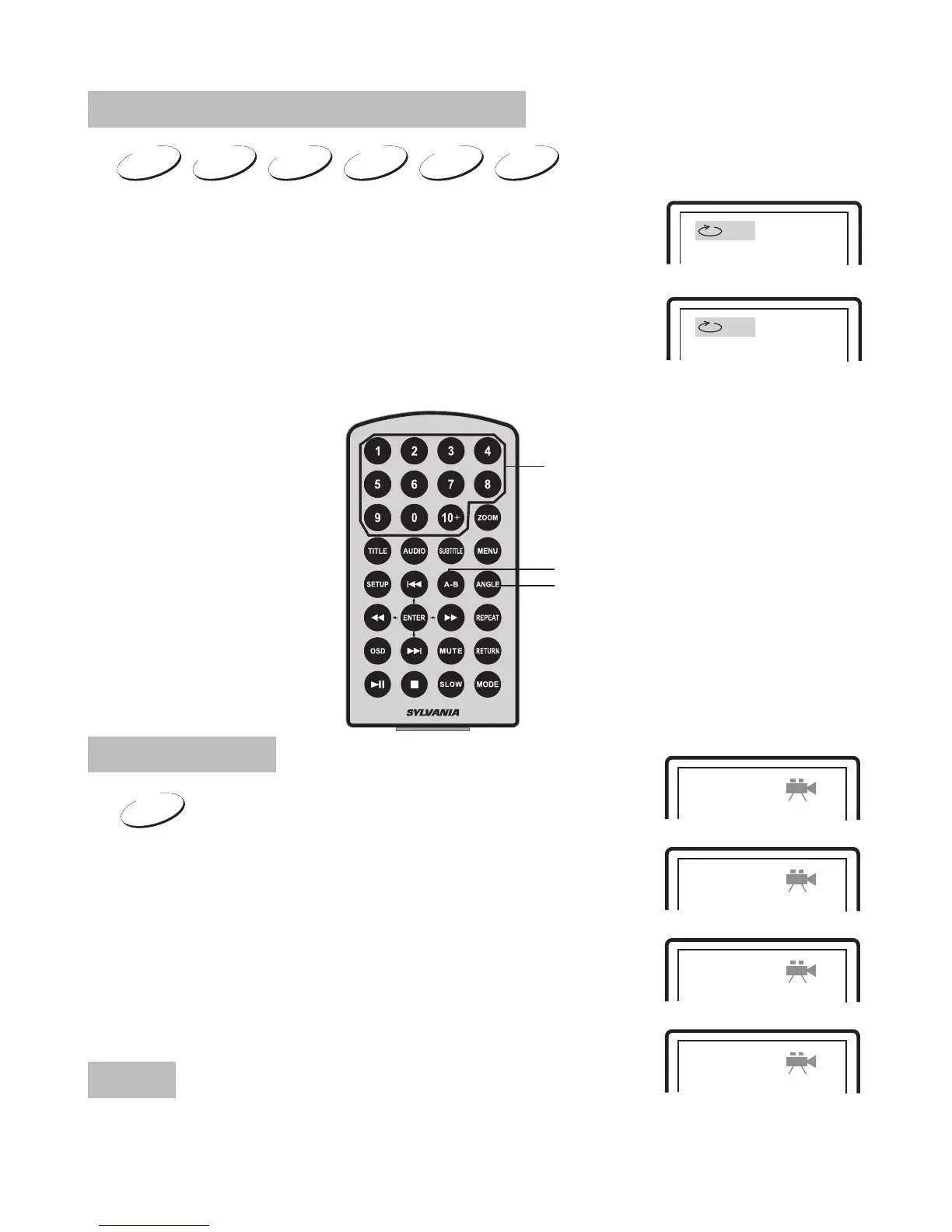
Repeat Playing Of Favorite Scene
A
AB
A-B
Angle
Number
Select Angle
DVD
During playing DVD disc with multi-angle, press
"Angle", button, the followings will be displayed
on screen.
Press number buttons to select the angle
you desire.
To return to normal playing,please press "Angle"
the unit will play the disc in the default angle.
Note
The function is available only for discs with multi-angle.
1 /4
2 /4
3 /4
4 /4
When playing disc of DVD, MPEG4, SVCD, VCD,
CD, MP3, user can repeatedly play a specific section.
During playback, press "A-B" button at a point A,
then press this button again in point B, the unit will
automatically repeat playing the part between A-B.
Press it the third time, the unit will return to normal playback.
15


 To Next Page