7
1.
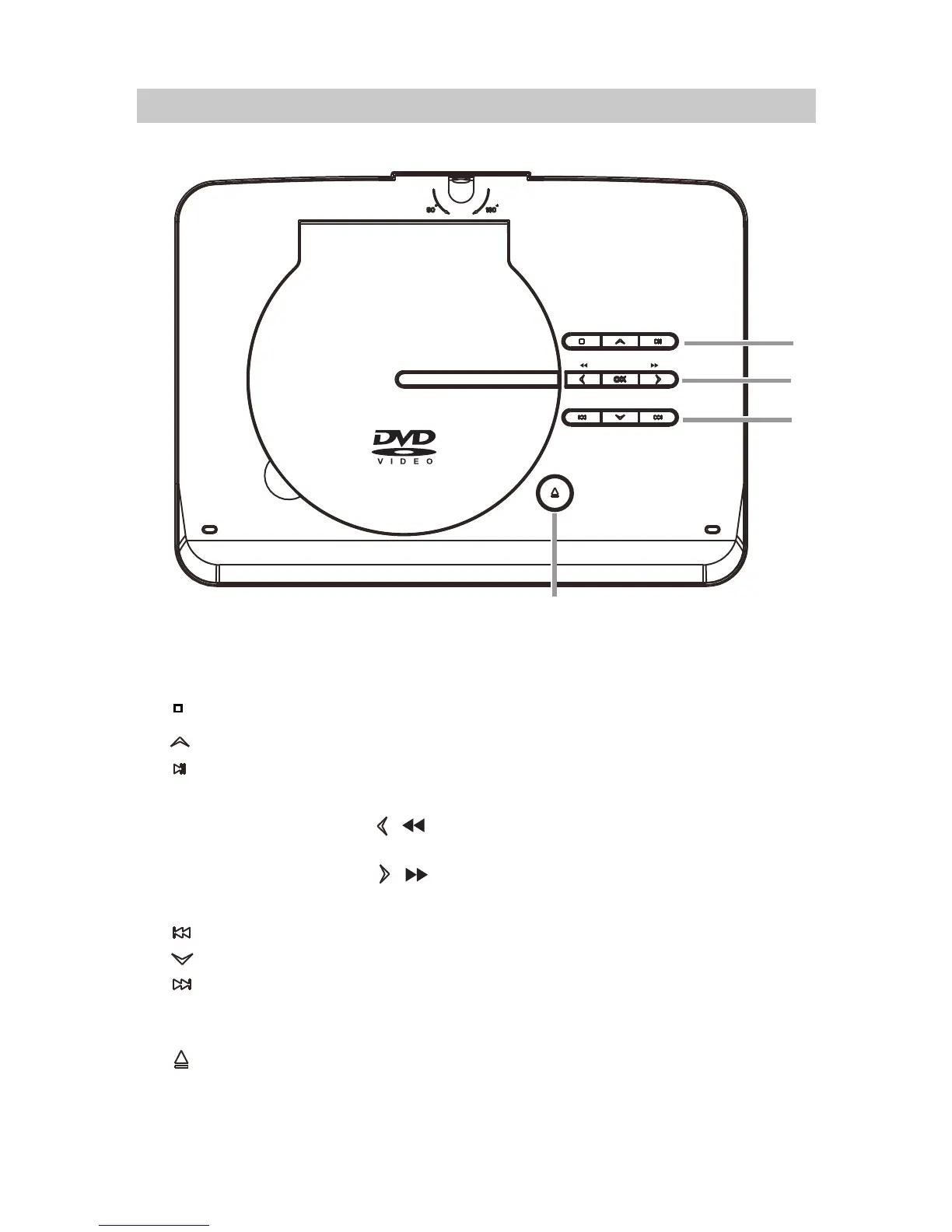
Press and hold the button to decrease volume level.
: Press and hold the button to increase volume level.
Play/Pause:
Press to pre-stop playing, press again to stop playing competely.
LOCATION OF CONTROLS
2.
Stop:
+
VOL (Volume) -:
VOL (Volume)
4.
Press to start playback or pause.
Press to open the disc door.
Press to confirm the operations.
Previous button
Left / Fast rewind button
Right / Fast forward button
Down button
3.
OK:
VO L -
VO L +
1
2
3
4
Nex t button
( Up button) /
/




 To Next Page