18
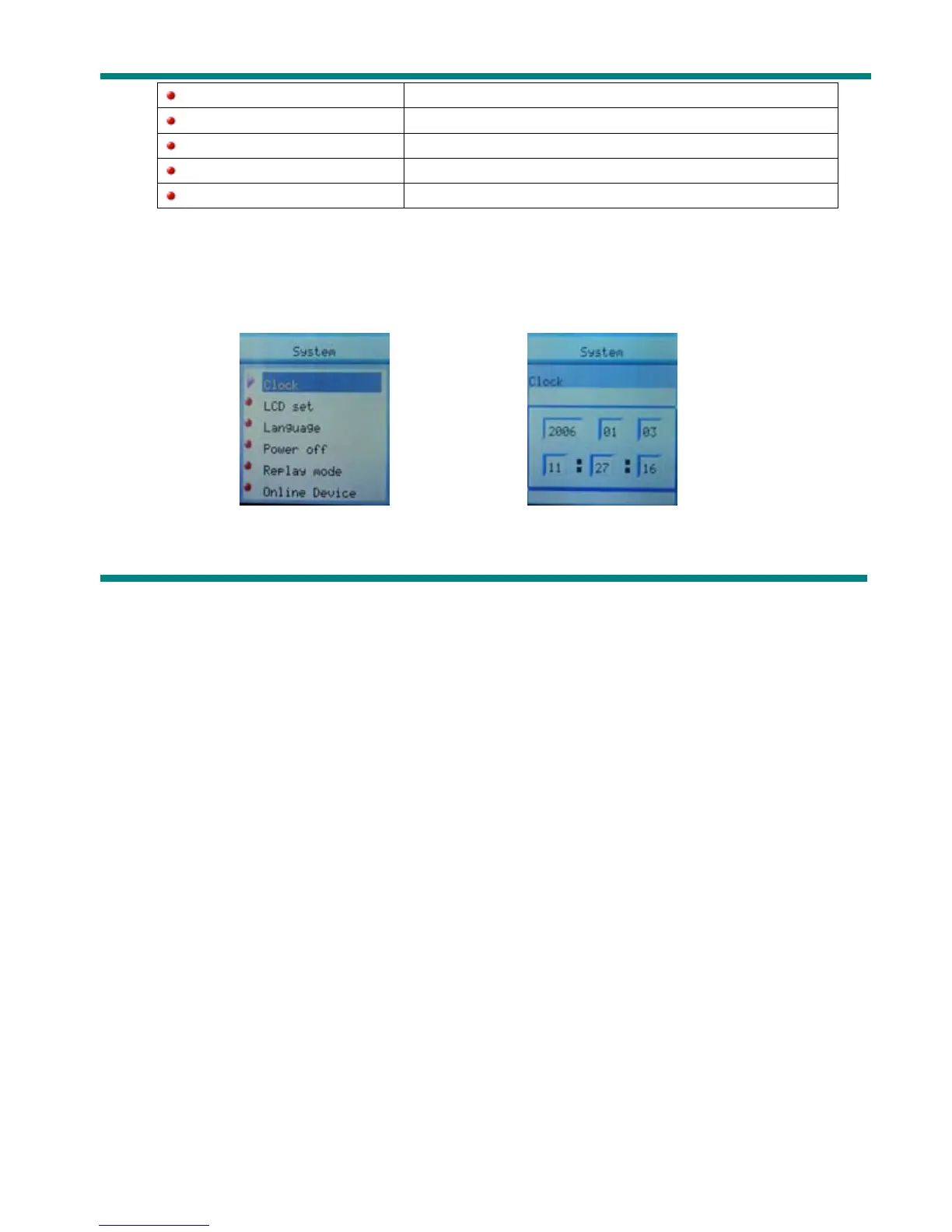
z List of menus:
○’Clock’ Setting
1. System setting interface
2. Press Mode to enter ‘Clock’ interface recording time:
3. Press VOL setting from years. While setting, year on twinkling.
4. Press Next the value will increase (PREVIOUS on opposite)
(DRM Time) Greenwich Mean Time
(Firmware version) Version of player’s firmware
(Firmware upgrade) Use for upgrade firmware
(Remove MTPinfo) Exit MTP mode
(Exit) Exit from Setting interface



 To Next Page