31
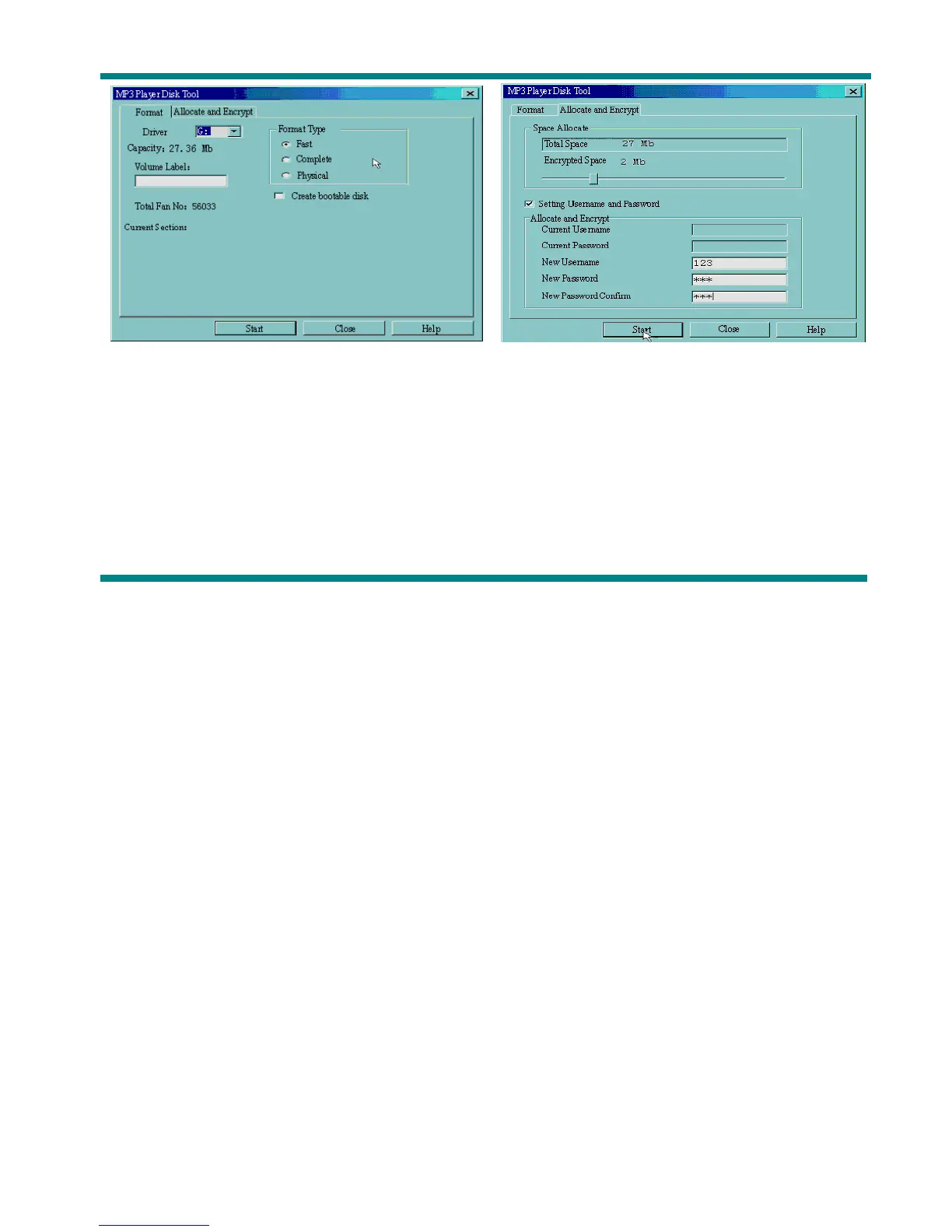
(Picture 11-1) (Picture 11-2)
4. After space allocation, shown as below: (Picture 11-3)
5. Click ‘OK’ to restart.
6. After restart you will find two disks (only one disk can be seen on Windows 2K SP4or prior),
click the encrypted disk (the second one), you will find three files, two are hidden, one is executable.



 To Next Page