-4-
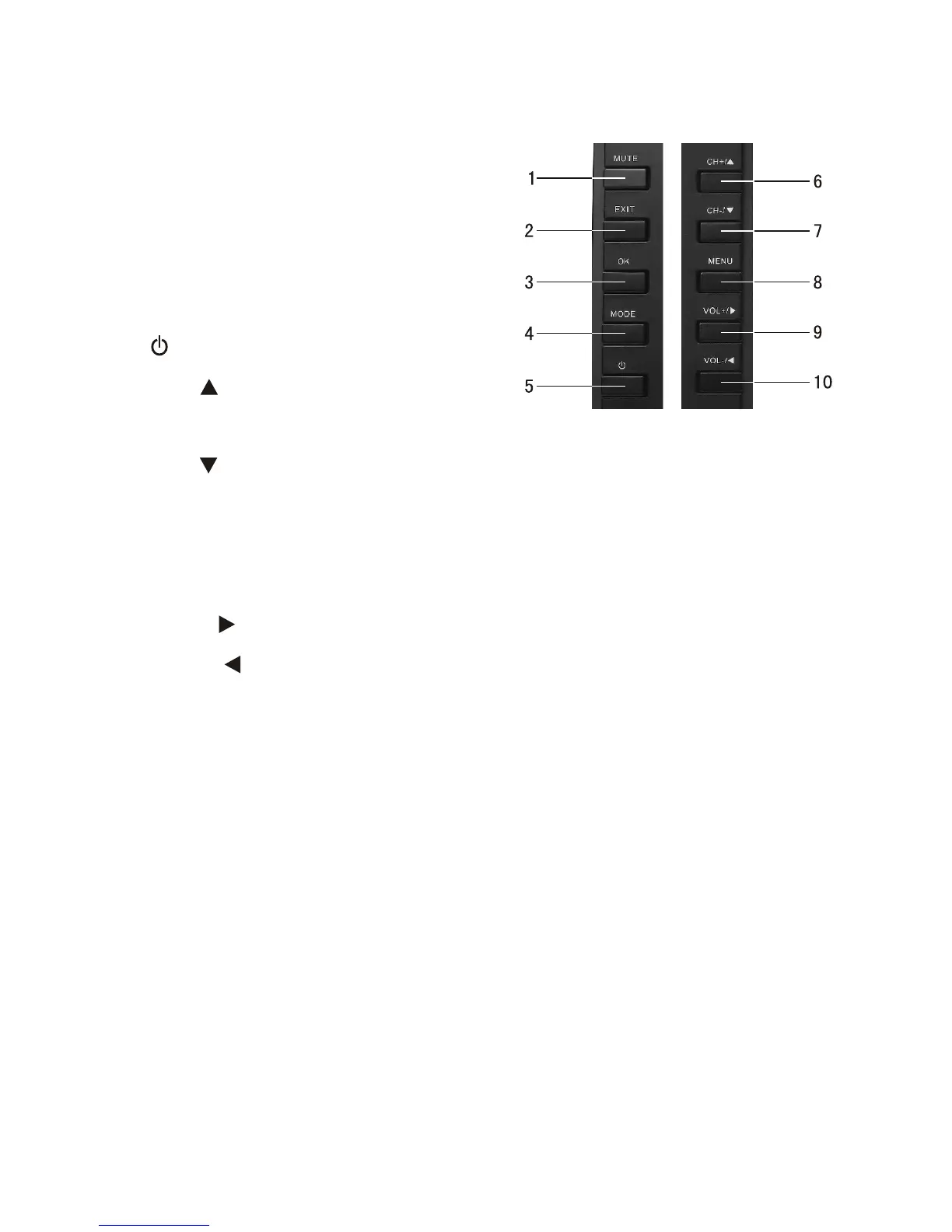
IV Description of Panel Buttons
1. MUTE: Mute button.
2. EXIT: Exit button.
3. OK: Confirm button.
4. MODE:
5. : Standby button.
6
TV/AV/External storage
switch.
. CH+/ : Upward selection/Channel
increasing.
7. CH-/ : Downward selection/Channel decreasing.
8. MENU: Menu button, press to show the main menu. When system
enters a multilevel submenu, press to return the previous menu step
by step.
9. VOL+/ : Rightward selection/For volume increasing.
10. VOL-/ : Leftward selection/For volume decreasing.



 To Next Page