NOTE
–
28
–
EN
•
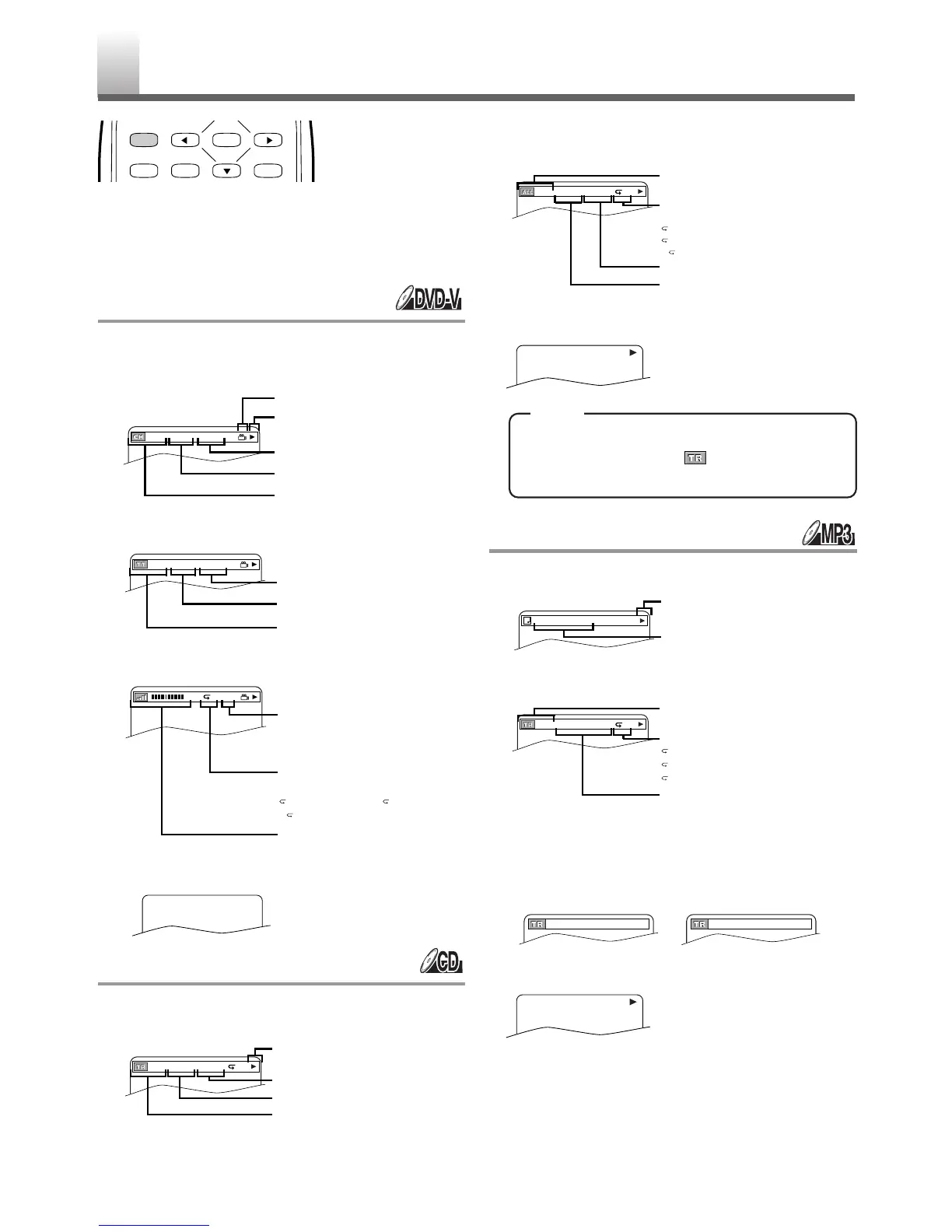
Shaded buttons are used for following operation.
You can check the information about the current disc
by pressing
[DISPLAY].
For DVD-Vs
1 Press [DISPLAY] during playback to show
current Chapter.
2
Press [DISPLAY] again to show current Title.
3 Press [DISPLAY] again.
4 Press [DISPLAY] again to exit.
For Audio CDs
1 Press [DISPLAY] during playback to show the
current Track.
2 Press [DISPLAY] again to show current Total
Track.
3 Press [DISPLAY] again to exit.
•
When you are playing a disc in PROGRAM
or RANDOM mode, “ PROGRAM” (or
RANDOM) will be displayed at step 2.
For MP3
1 Press [DISPLAY] during playback.
2 Press [DISPLAY] again.
3 Press [DISPLAY] again to show the current-
playback mode.
(Only when you are playing a disc in PROGRAM or
RANDOM mode.)
4 Press [DISPLAY] again to exit.
THE ON-SCREEN INFORMATION
ENTER
RETURNTITLESETUP
DISPLAY
CH(Chapter):
Current chapter number / Total chapters
Elapsed time of the current chapter
Remaining time of the current chapter
Current playback status
Angle icon, appears only when avail-
able on the DVD
TT(Title):
Current title number / Total titles
Elapsed time of the current title
Remaining time of the current title
Current repeat setting appears only
when the repeat setting is active
C: Chapter repeat / T: Title repeat /
AB:A-B repeat
BIT RATE: The amount of audio and
video data currently being read
Layer numbers, appears only when
playing a two-layered Disc
L0: Layer 0 is playing
L1: Layer 1 is playing
TR(Track):
Current track number / Total tracks
Elapsed time of the current track
Remaining time of the current track
Current playback status
Current repeat setting appears only
when the repeat setting is active
T: Tr ack repeat
A: All Tracks repeat
AB:A-B repeat
ALL:
Current track number / Total tracks
Elapsed time of the entire disc
Remaining time of the entire disc
The name of the file currently in play
will be displayed.
Current playback status
Current repeat setting, if active
T: Tr ack repeat
G: Group (folder) repeat
A: Disc repeat
Elapsed playing time of the current
track
TR(Track):
Current track number / Total tracks










 To Next Page