EasyManua.ls Logo

SYMA X300 - User Manual

SYMA X300
32 pages
Print Icon
To Next Page IconTo Next Page
Loading...
GEBRAUCHSANWEISUNG
ZUSAMMENKLAPPBARER DROHN
14+
X300
MAIN FEATURES
●Utilizes the 4-axis structure, enabling the drone to be even more
flexible and speedy. It suitable for both spacious indoor & outdoor
areas.
●Built-in 6-axis gyro stabilizer, barometer and optical flow sensor to
ensure the accuracy of inflight position.
●Be capable of 360°stunt flip function,optical flow positioning, auto
hover function.
●Headless function makes it easy for directional control.
●Auto take-off and landing function make it easier and safer to
control.
●HD camera with real-time transmission function for getting the fun
of aerial photography.
●With flight plan function, when the drone is controlled by mobile
phone.
Question and Answer IconNeed help?

Do you have a question about the SYMA X300 and is the answer not in the manual?

Summary

MAIN FEATURES

Safety Guide

Repair and maintenance

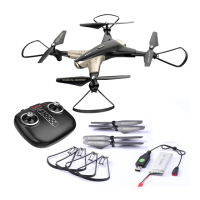
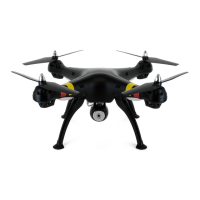
Aircraft components

Lists and illustrates the drone's physical parts and their identification.

Understanding your remote control

Details and labels the different controls and functions of the remote transmitter.

Package description

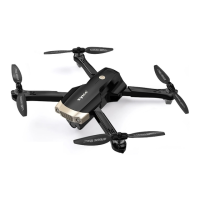
Fold operation

Instructions on how to fold and unfold the drone for storage or transport.

Re-installing the blades

Step-by-step guide for safely attaching and detaching the drone's propeller blades.

Protective Gears Installation Methods

Demonstrates how to install the protective gear onto the drone's arms.

Battery Charging and Charging Methods for Drone

Charge the battery

Provides instructions on how to connect and charge the drone's battery using the provided cable.

Attaching the phone holder

Explains the process of mounting a mobile phone onto the remote control for app use.

Inserting the remote control batteries

Flight preparation and turning the aircraft on;off

Pairing the remote control with the aircraft

Guides on establishing a wireless connection between the remote control and the drone.

Turning the aircraft on

Details the steps required to power on and prepare the drone for flight.

Turning the aircraft off

Using the remote control

Trimming operation

Forward and backward trim control

Adjustments to correct forward or backward drift during hovering for stable flight.

Left;right side flight trim control

Adjustments to correct left or right drift during hovering for stable flight.

Product Features

Product Features

High;Low Speed Function

Explains how to switch between different speed modes for varied flight experiences.

360°Stunt Flip Function

Details how to perform aerial stunt flips for dynamic maneuvers.

Optical flow Hover & Auto Hover Function

Describes the drone's ability to maintain stable hover positions using optical flow and auto-hover features.

Product Features

Headless Function

Allows flying without needing to orient the drone's front, simplifying directional control.

Product Features

Calibration for the definition of the front

Procedure to recalibrate the drone's forward direction after impacts or deviations.

Wireless Real-Time Transmission Function

Downloading the installation software

Instructions for obtaining and installing the SYMA FLY mobile application.

Accessories;Parts List (Optional)

Product Descriptions

Main Specifications

Rectification Procedures

SYMA X300 Specifications

General IconGeneral
TypeQuadcopter
BrandSYMA
ModelX300
Control Distance50 meters
Battery TypeLiPo
Headless ModeYes
One Key Takeoff/LandingYes
Altitude HoldYes
LED LightsYes
Battery3.7V 500mAh

Related product manuals