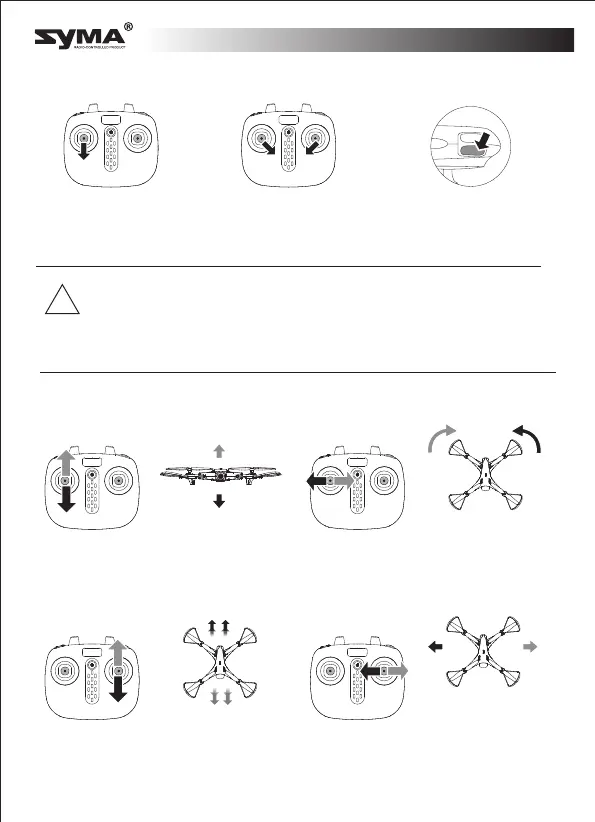
Ascend
Descend
Move forwards
Move backwards
Rotate left
Tilt left
Tilt right
Rotate right
Front
Rear
Front
Turning the aircraft off
Method one Method two Method three
Push the left joystick
downwards for 2-3
seconds.
Push the left and right
joysticks downwards in
a V shape for 2
seconds.
Press the take-off/land-
ing button to make the
aircraft land automatical-
ly and switch off.
!
Using the remote control
1. If the drone flies out of control range, the drone indicator lights will
start flashing slowly and after the drone will slowly descend.
2. If the transmitter turns off or the transmitter battery runs low, the
drone will slowly descend. Turn on the transmitter again, re-pair the
unit and continue to fly.
English
-6-


 To Next Page