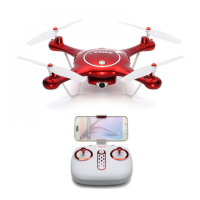
Need help?
Do you have a question about the SYMA X5UW(720P) and is the answer not in the manual?
Procedure for installing the mobile phone retaining clip onto the remote control.
Instructions for downloading the SYMA GO app for mobile devices.
Steps to connect the aircraft's WiFi to a mobile phone.
Explanation of icons within the SYMA GO app interface.
Using the flight-track feature for automated flight paths.
How to take photos and record videos using the camera.
Information on using memory cards for storing media.
Explanation of the functions of various buttons on the remote control.
Instructions for installing batteries into the remote control.
Steps to prepare the aircraft for flight.
Methods for powering on and activating the aircraft.
Methods for powering off the aircraft.
Visual guide to controlling the aircraft's movement and direction.
Adjusting forward/backward flight stability during hovering.
Adjusting left/right sideward flight stability during hovering.
Adjusting left/right turning stability during hovering.
How the aircraft indicates and responds to low battery power.
How the aircraft's circuit protection activates under overload.
Procedure to calibrate the aircraft's sensors for stable flight.
How to switch between different flight speed modes.
Instructions for performing acrobatic 360-degree flips.
How the aircraft maintains altitude automatically.
How to operate the aircraft without needing to orient its front.
 General
| Category | Drones |
|---|---|
| Camera Resolution | 720P |
| FPV Capability | Yes |
| Gyro | 6-axis |
| Headless Mode | Yes |
| Altitude Hold | Yes |
| One Key Takeoff/Landing | Yes |
| 360° Flips | Yes |
| Model | X5UW |
| Battery Type | 3.7V 500mAh |
| Dimensions | 310x310x75mm |

 To Next Page