528E
6
Chapter 4Front Panel Overview
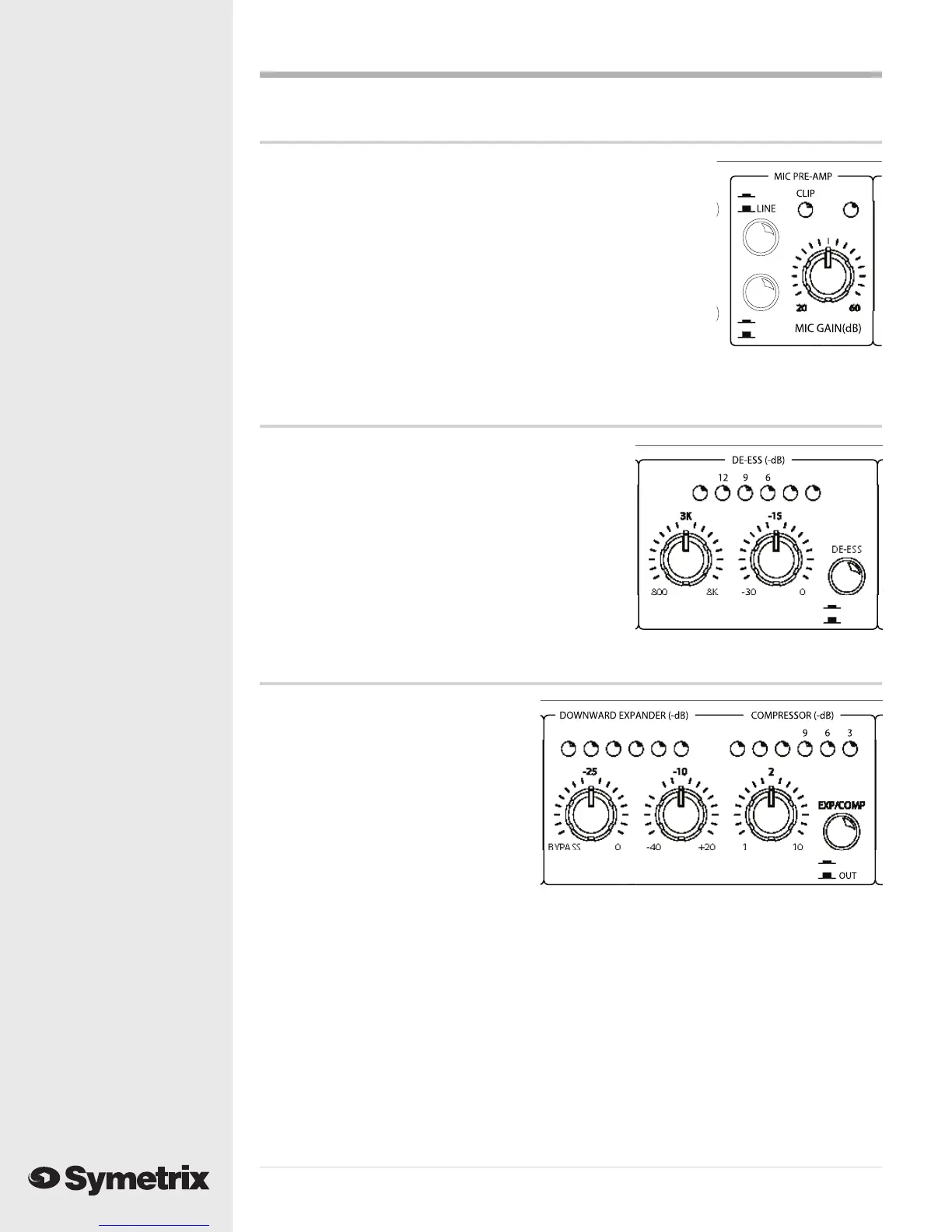
Mic Preamp
MIC/LINE Selects between the Mic input (switch in) and
Switch Line input (switch out).
-15 dB PAD Inserts 15 dB pad for strong mic signals.
Switch
MIC GAIN Sets the gain of the mic preamp for best com pro -
mise between signal-to-noise ratio and head room.
CLIP LED Monitors inputs (mic and line) for clipping.
Illuminates 3 dB below the actual clip point.
PHANTOM Illuminates when 48V phantom power is present at
the microphone input connector. LED The phantom
power switch is located on the rear panel.
DE-Esser
FREQUENCY Sets the rolloff (cutoff) frequency of
the de-esser.
THRESHOLD Sets the threshold level for the de-esser.
Signals above this level cause de-esser
action, signals below do not.
IN/OUT Switch Hard-wire bypasses the de-esser. The
de-esser is active when this switch is in.
LED Display Indicates the amount of de-esser
activity at any instant in time.
Downward Expander / Compressor
EXP THRESH Sets the threshold level
for the downward
expander. Signals below
this threshold are
downward ex pand ed
(reduced in level).
COMP THRESH Sets the threshold level
for the compressor.
Signals above this
threshold cause gain
reduction in the
compressor.
COMP RATIO Sets the compression ratio of the compressor.
EXP/COMP Defeats the downward expander / compressor. This is not a hard-wire bypass.
IN/OUT Switch
DOWNWARD Indicates the amount of downward expander activity (gain reduction) at any
EXPANDER instant in time.
LED Display
COMPRESSOR Indicates the amount of compressor activity (gain reduction) at any instant in
LED Display time.
MI
PHANT
-1
PA
N
R
1
FRE
UENC
THRE
H
L
2
1
EXP THRE
MP THRE
MP RATI
2
1



 To Next Page