Basic Operations
10
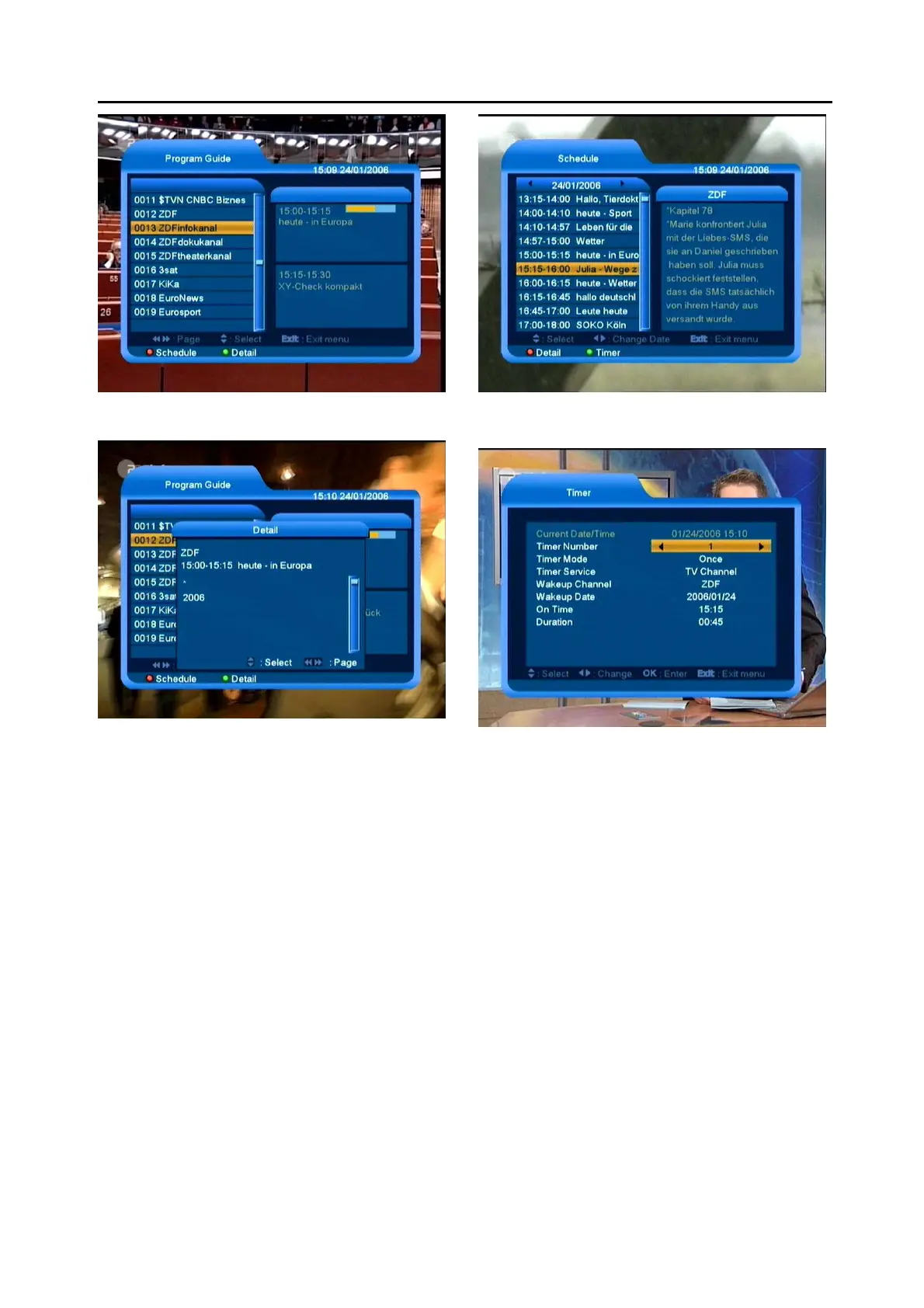
2 Press [GREEN] key in each item can see more
detail information.
3 Press [Red] key in EPG menu can display
“Schedule” Menu. In this menu, you can press
Left/Right] to select “back/current time/last
program or –0:30/next program or
+0:30/-2:00/+2:00/current day/next day”. Press
[Up/Down] key to select “current event/next
event ”.
[GREEN] key to display the details information.
4 Press [Green] key in Schedule menu can open
timer menu. User can save a timer as he want.
5 In EPG menu, press [Exit] to close EPG screen.
5.13 TV/RADIO
In TV mode, pressing [TV/RADIO] key can switch to
Radio mode. In Radio mode, press [TV/RADIO] key to
switch to TV mode.
5.14 Channel List
1 In full screen, press [OK] key or [CH.LIST] can
enter “Channel List”.



 To Next Page