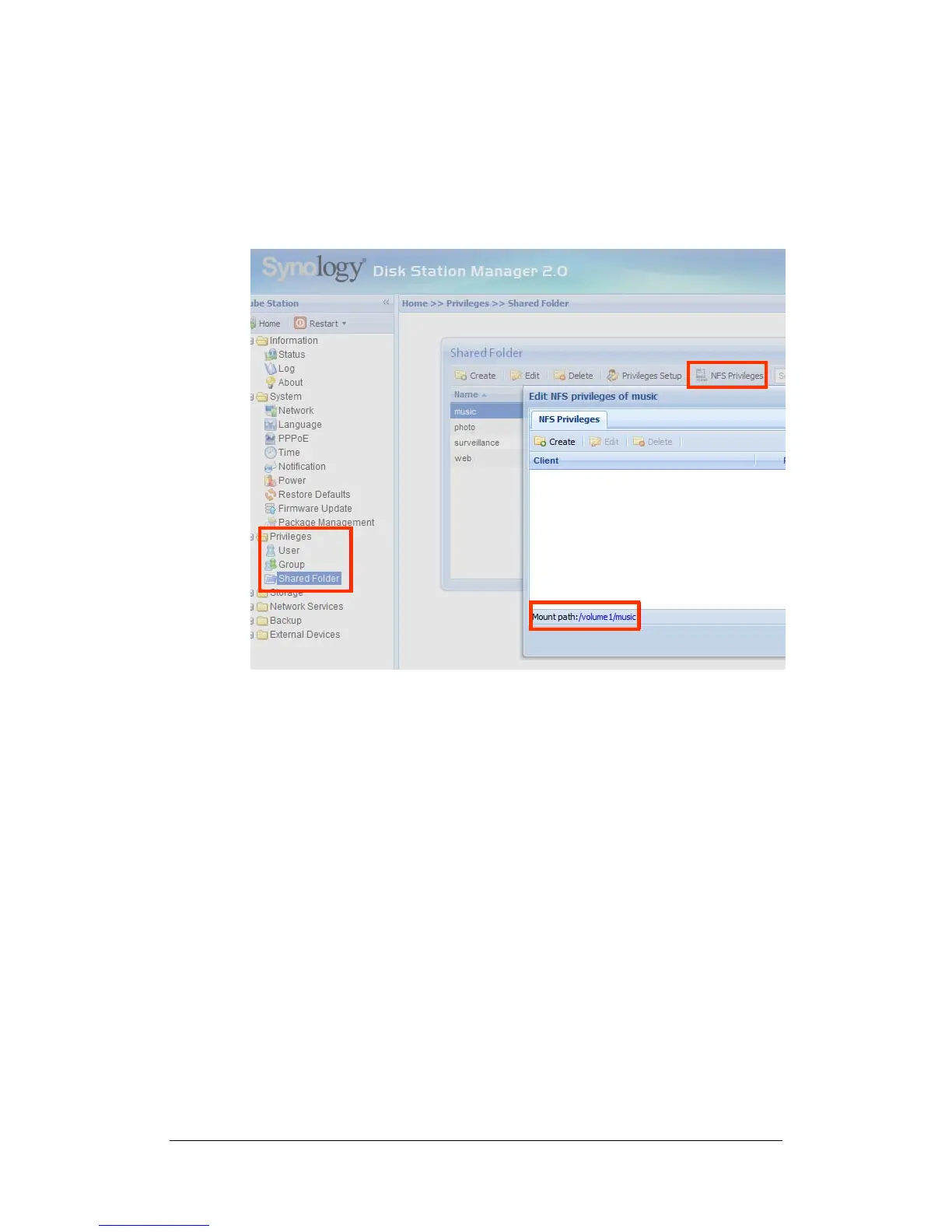
Linux User
Linux users can mount the shared folders for accessing. Mount path can be
found under “Privileges > Shared Folder > NFS Privileges” of the Web
Management UI. Before mounting the shared folders, please make sure the NFS
service is enabled.
From different network
Through FTP
Synology Server provides FTP service. Administrator can enable FTP service on
the “Network Service > FTP” page of the Web Management UI. Windows users
and Mac users can thus access data in Synology Server by FTP Protocol.
Synology Server supports Secure FTP by default when administrator enables
the FTP service. To prevent data from being access while transferring, users can
also use “FTP over SSL” or “FTP over TLS” on the FTP client to make the data
more secure. For the detailed information of using FTP and its limitation, please
refer to Help on “Network Services > FTP” page.
39







 To Next Page