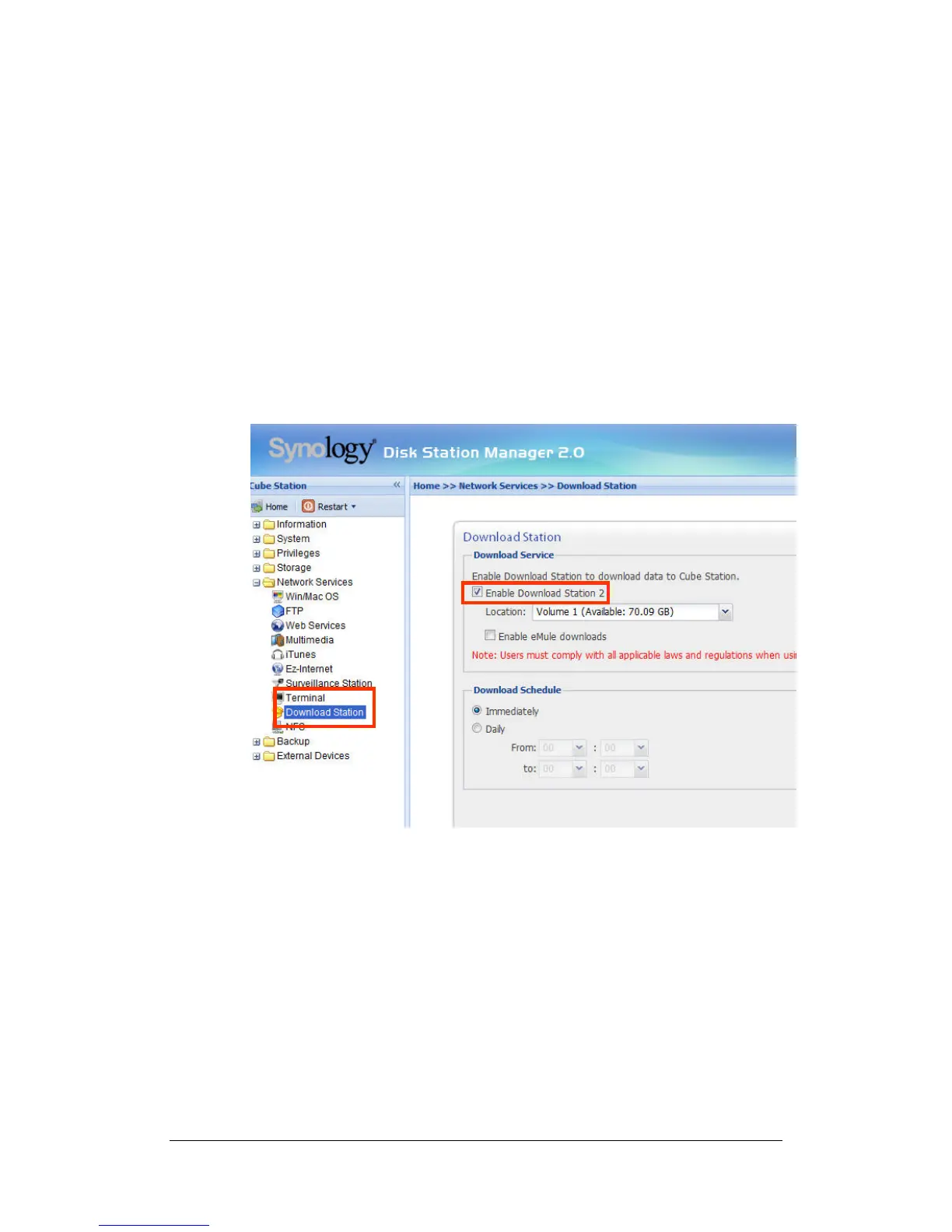
Download Station 2
Synology Server can download files from Internet through BitTorrent, FTP, HTTP,
NZB and eMule. BitTorrent partial file download is also available. PC users and
Mac users can either install Download Redirector or login the “Download Station”
page on the Web Management UI to add download tasks and manage the
download queue.
Before start adding download tasks, you should enable Download Station on the
server and install Download Redirector on PC or Mac.
Enabling Download Station 2
Go to the “Network Services > Download Station” page.
Installing Download Redirector
Insert Installation CD into the CD/DVD-Rom drive. Click on “Download
Redirector”, and follow on-screen instructions to complete installation.
For the detailed description of Download Redirector, please refer to Help on
Download Redirector program window.
51







 To Next Page