3
11 Chapter 3: Install DS1010+ Firmware
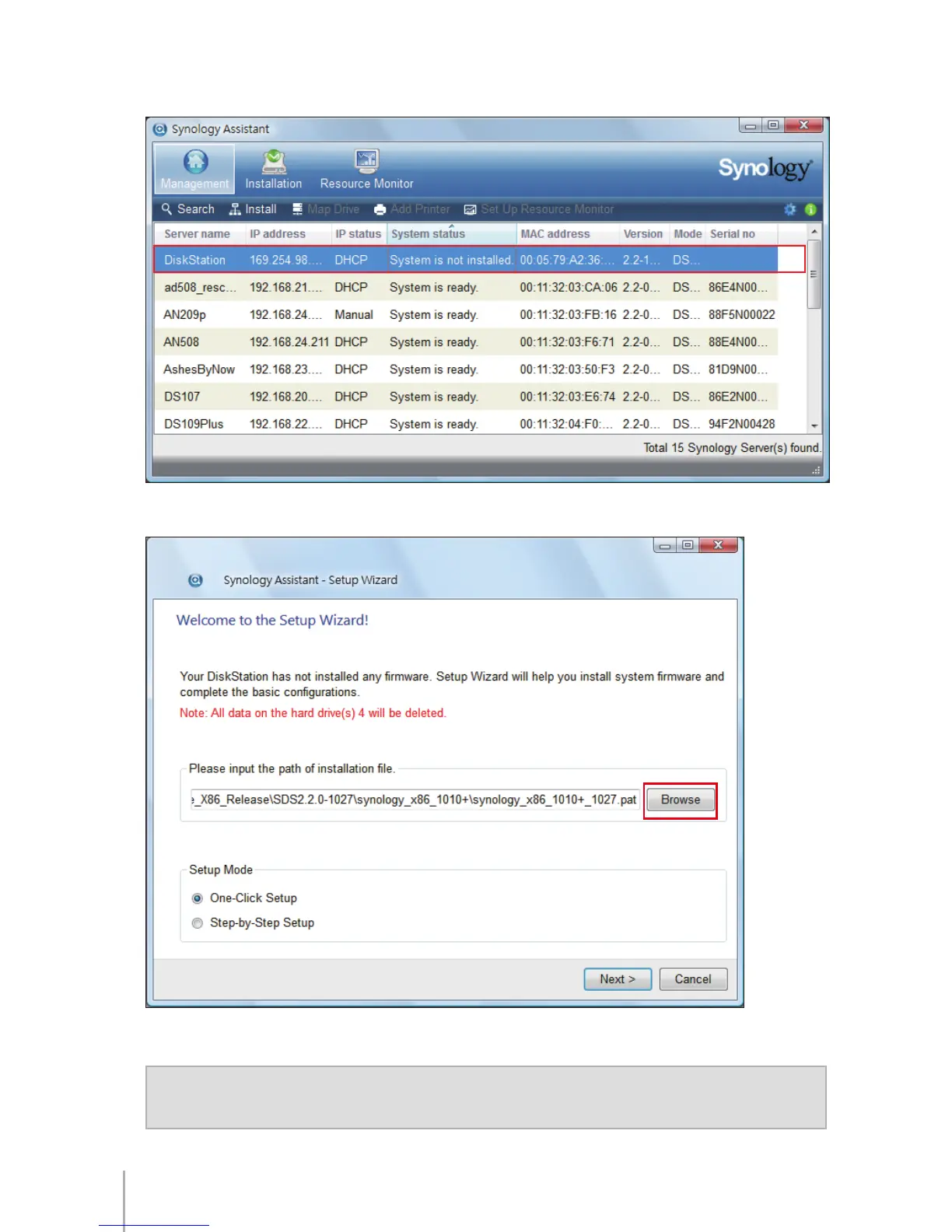
After Synology Assistant opens, double-click your DS1010+ from the server list.2
Click 3 Browse to select the “.pat” installation le in the installation CD.
Follow the onscreen instructions to complete the setup process.4
Note: If you choose One-Click Setup, the default admin password for your Disk Station
Manager will be blank.









 To Next Page