2
5
Hardware Setup
Tools and Parts for Hard Disk Installation
A screwdriver•
At least one 3.5” or 2.5” SATA hard disk •
(Please visit www.synology.com for compatible hard disk models.)
Warning: If you install a hard disk that contains data, system will format the hard disk and
erase all data. If you need the data in the future, please back it up before installation.
Install Hard Disks
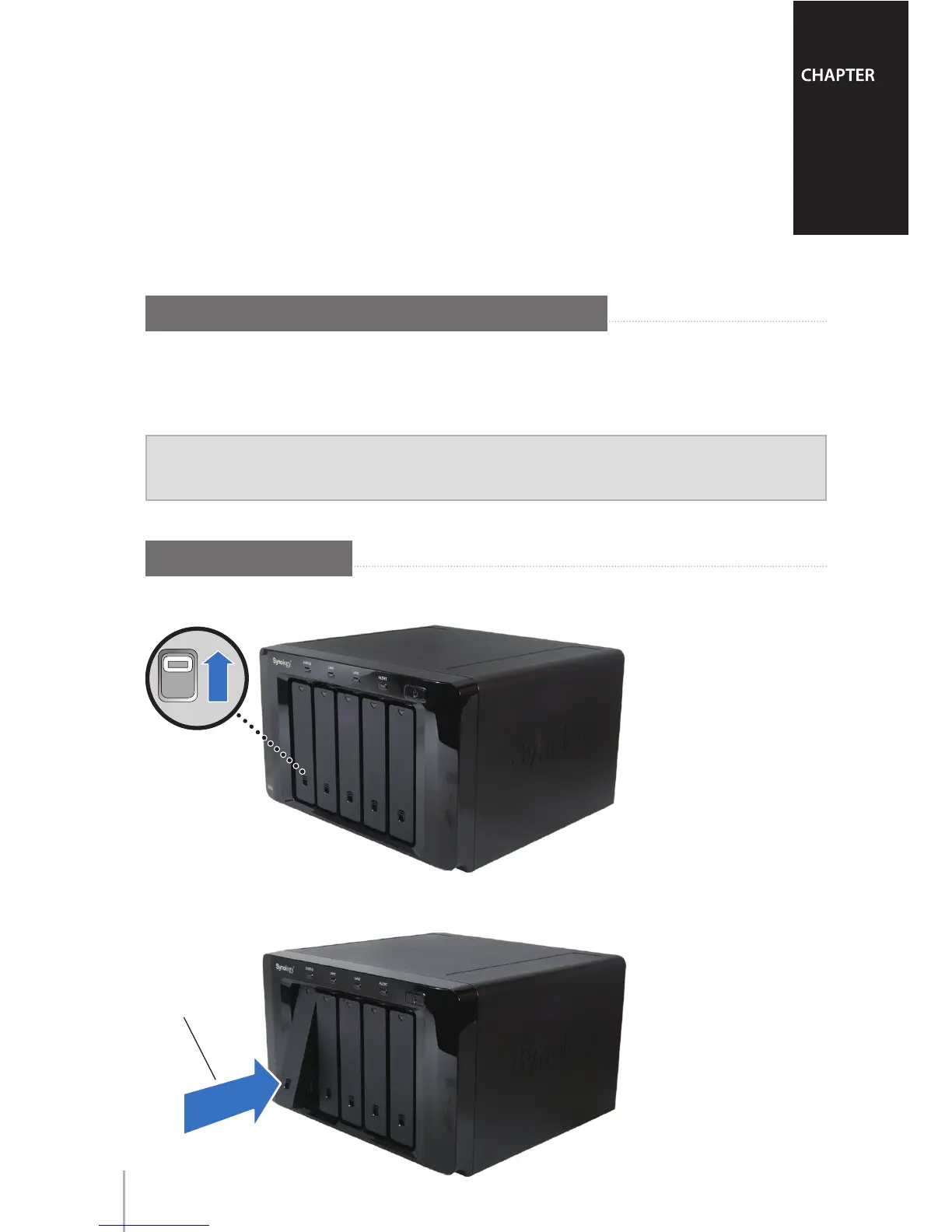
Slide the Lock switch upward to unlock the handle of one of the hard drive trays.1
Press the lower part of the hard drive tray to pop out the handle.2









 To Next Page