6 Chapter 2: Hardware Setup
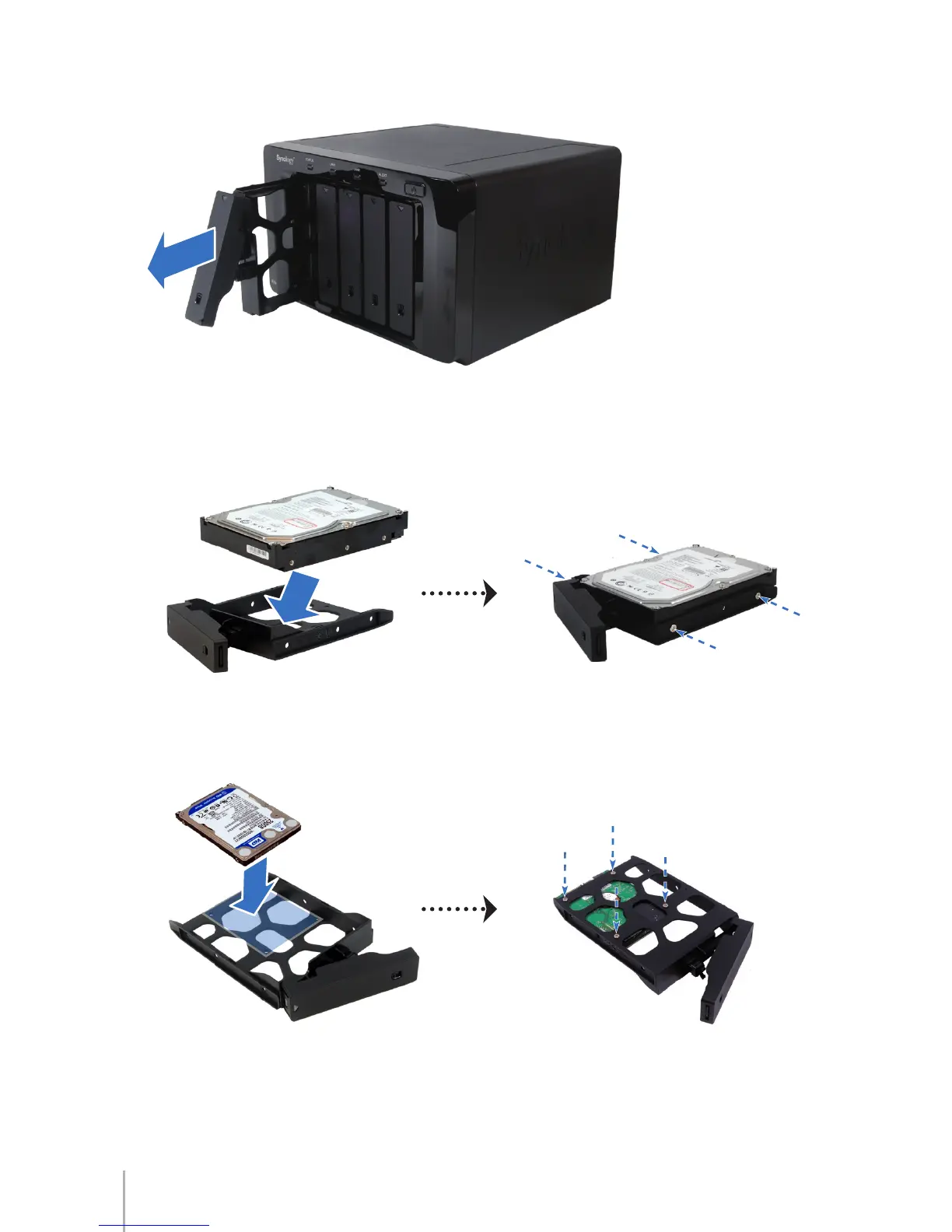
Pull the handle to remove the hard drive tray from DS1010+.3
Load the hard disk in the hard drive tray.4
For 3.5” Hard Disk: a Place the hard disk in the hard drive tray, and then tighten
the screws to secure the hard disk.
For 2.5” Hard Disk: b Place the hard disk in the blue area (shown below) of the
hard drive tray, turn the tray upside down, and then tighten the screws to secure
the hard disk.









 To Next Page