12 Chapter 3: Install DS1010+ Firmware
Install from Mac OS X
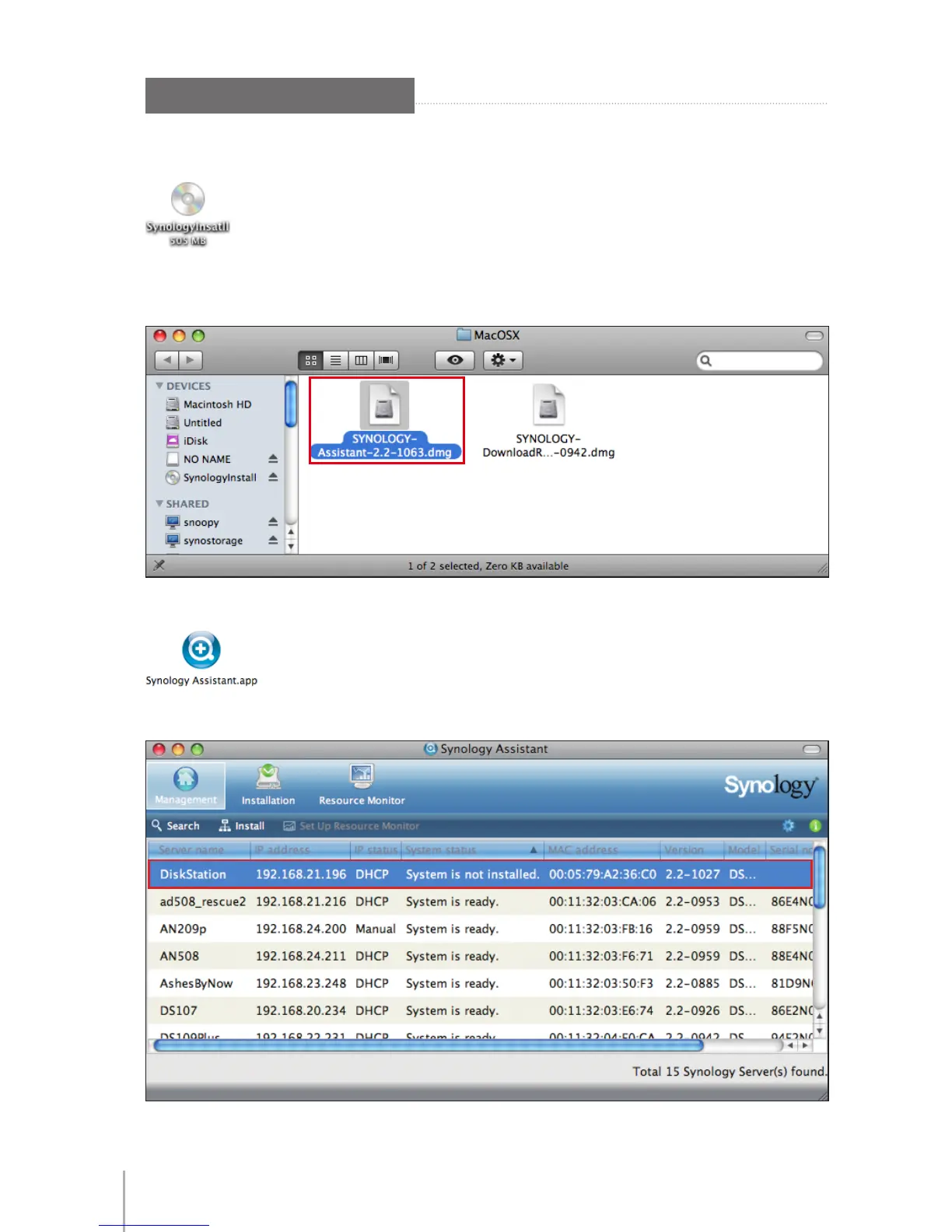
Insert the installation CD into your computer, and then double-click the 1
SynologyInstall icon on the desktop.
In the window that appears, double-click the 2 MacOSX folder, and then double-click
Synology Assistant-2.2-[number].dmg.
Double-click the 3 Synology Assistant.app in the window that appears.
After Synology Assistant opens, double-click your DS1010+ from the server list.4









 To Next Page