8
Chapter 2: Hardware Setup
Start Up Your DiskStation
1
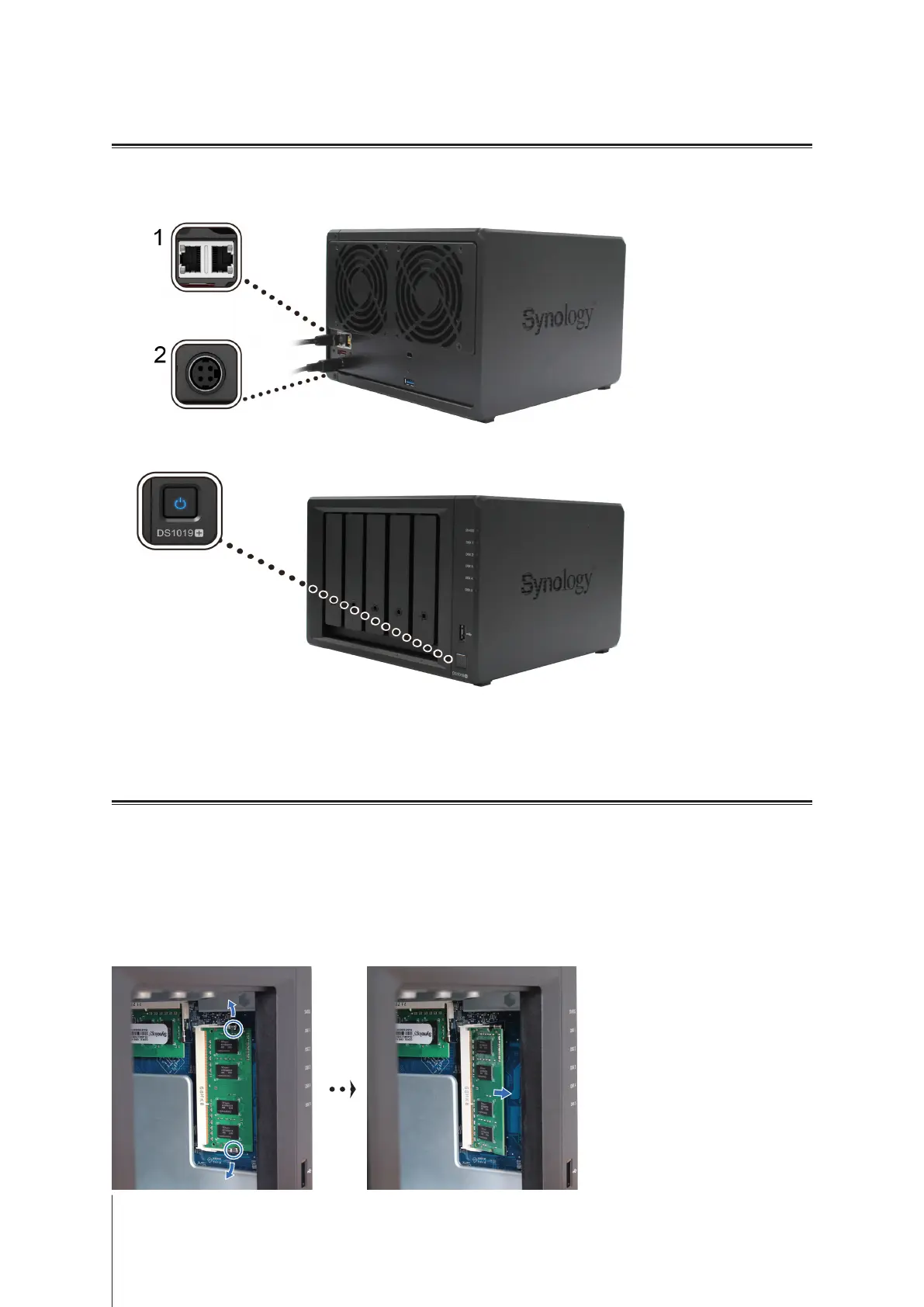
Use the LAN cable to connect the DiskStation to your switch, router, or hub.
2
Connect the AC adapter to the power port of the DiskStation. Connect one end of the AC power cord to the AC
power adapter, and the other to the power outlet.
3
Press the power button.
Congratulations! Your DiskStation is now online and detectable from a network computer.
Replace the Memory Modules on DiskStation
DS1019+ comes with 8GB (4GB x 2) of pre-installed RAM and the memory is not user upgradable. If you
encounter memory failure, follow the steps below to replace a memory module on your DiskStation.
To replace a memory module:
1
Shut down your DiskStation. Disconnect all the cables connected to your DiskStation to prevent any possible
damages.
2
Remove the ve drive trays and you will see two pre-installed memory modules that are removable.
3
Push the levers on both sides of the module outward, and the module will be released from the slot.








 To Next Page