14 Chapter 2: Hardware Setup
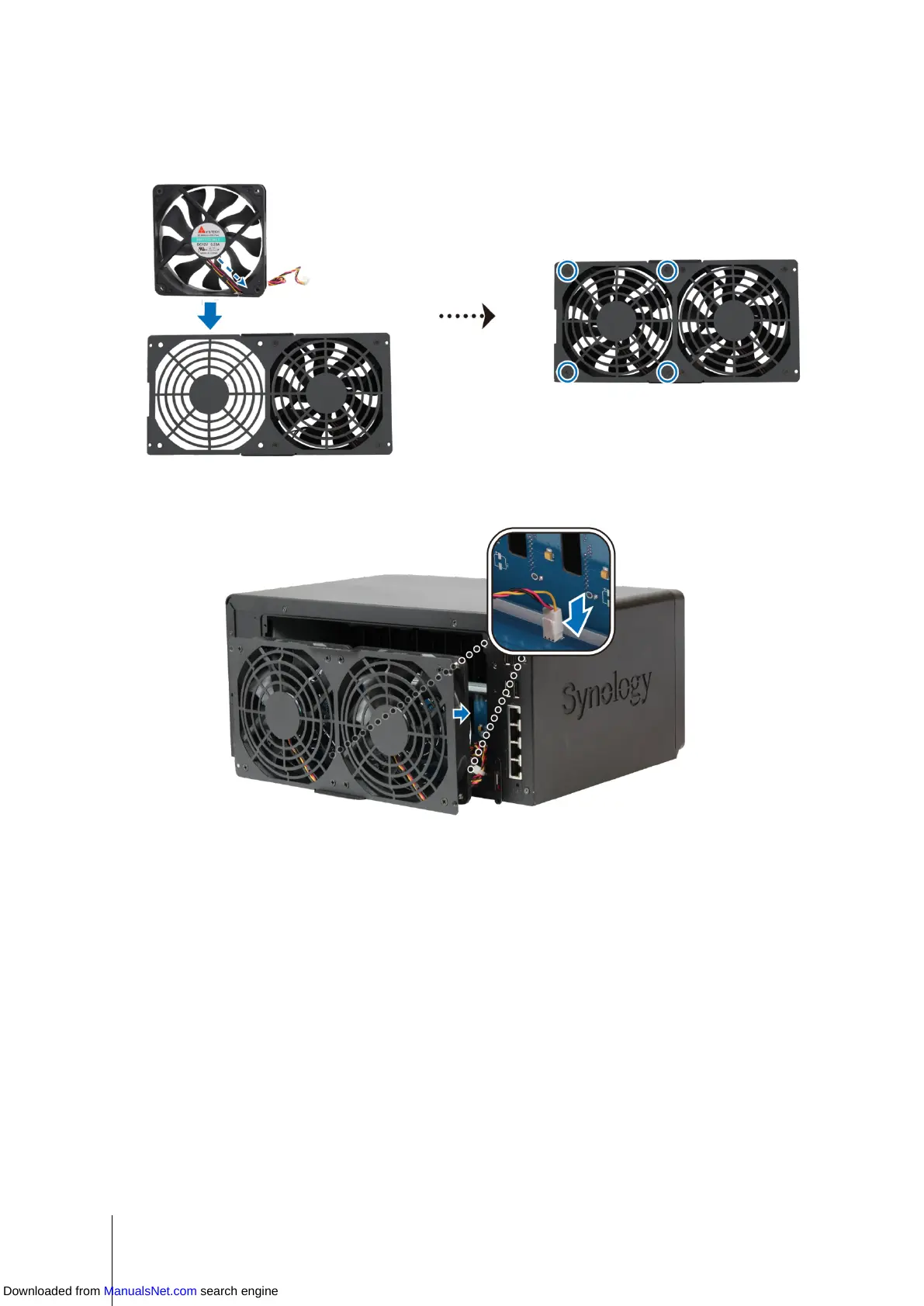
5 Install the new fan:
a Replace the malfunctioning fan with a good one (with the fan cable within the fan pointing at the bottom-right
corner), and then tighten the 4 screws to secure the new fan.
b Connect the 2 fan cables to the connectors located near the bottom of the fan socket, and then replace the
fan panel.
6 Replace and tighten the 4 screws you removed in step 2.
7 Reconnect the cables you removed in step 1, and then press and hold the power button to turn on your
DiskStation.
Downloaded from ManualsNet.com search engine








 To Next Page