11
Chapter 2: Hardware Setup
To make sure DiskStation recognizes the new memory capacity:
1
Install DiskStation Manager (DSM). (See the next chapter for more information.)
2
Log in to DSM as
admin
or a user belonging to the
administrators
group.
3
Check
Total Physical Memory
in
Control Panel
>
Info Center
.
If your DiskStation does not recognize the memory or does not start up successfully, conrm that the memory is
installed correctly.
To remove the RAM Module:
1
Follow step 1 and 2 of the "To install the RAM module:" section to shut down your DiskStation, disconnect the
cables, and then remove the bottom panel.
2
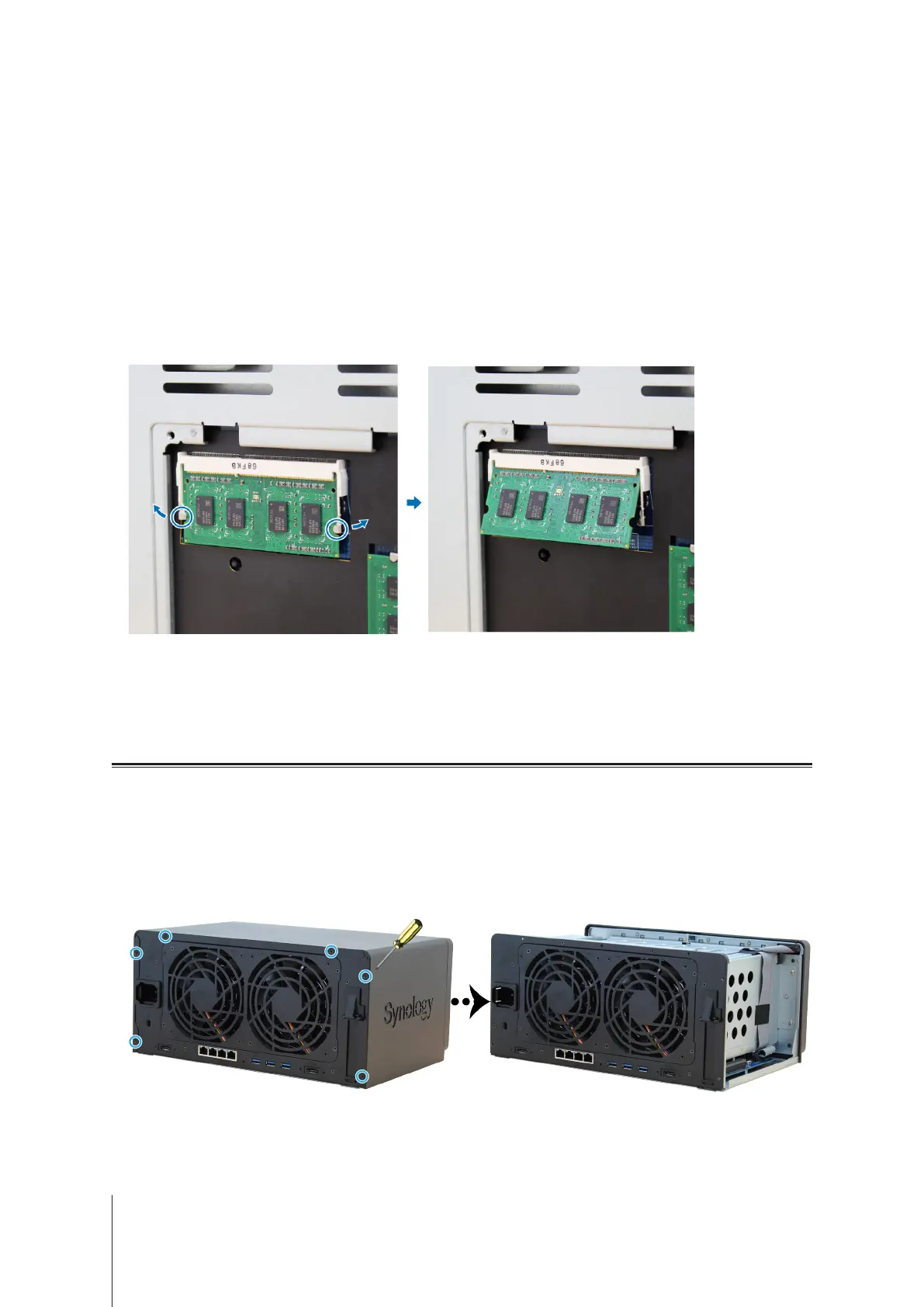
Push the levers on both sides of the memory module outwards. The module will be released from the slot.
3
Hold the memory module by its notches and remove it from the slot.
4
Replace the bottom panel. Replace and tighten the screws removed in step 1.
5
Reconnect the cables removed in step 1. Now, you may turn on your DiskStation.
Attach M2D17 Adapter Card to DiskStation
Your DiskStation supports M2D17 adapter card. To replace the long bracket with the M2D17 adapter card, please
follow the instructions below.
To install the M2D17 adapter card:
1
Shut down your DiskStation and disconnect all cables connected to your DiskStation to prevent any possible
damages.
2
Open the top cover of DiskStation by removing the six screws that secure the main unit.












 To Next Page