13
Chapter 2: Hardware Setup
Note:
DS1817+ with M2D17 can only support M.2 SATA SSD. M.2 NVMe/AHCI PCIe SSD is not supported.
Replace System Fan
Your DiskStation will beep if either of the system fans is not working. Follow the steps below to replace the
malfunctioning fan with a good one.
To replace the system fan:
1
Shut down your DiskStation and disconnect all connected cables to prevent any possible damages.
2
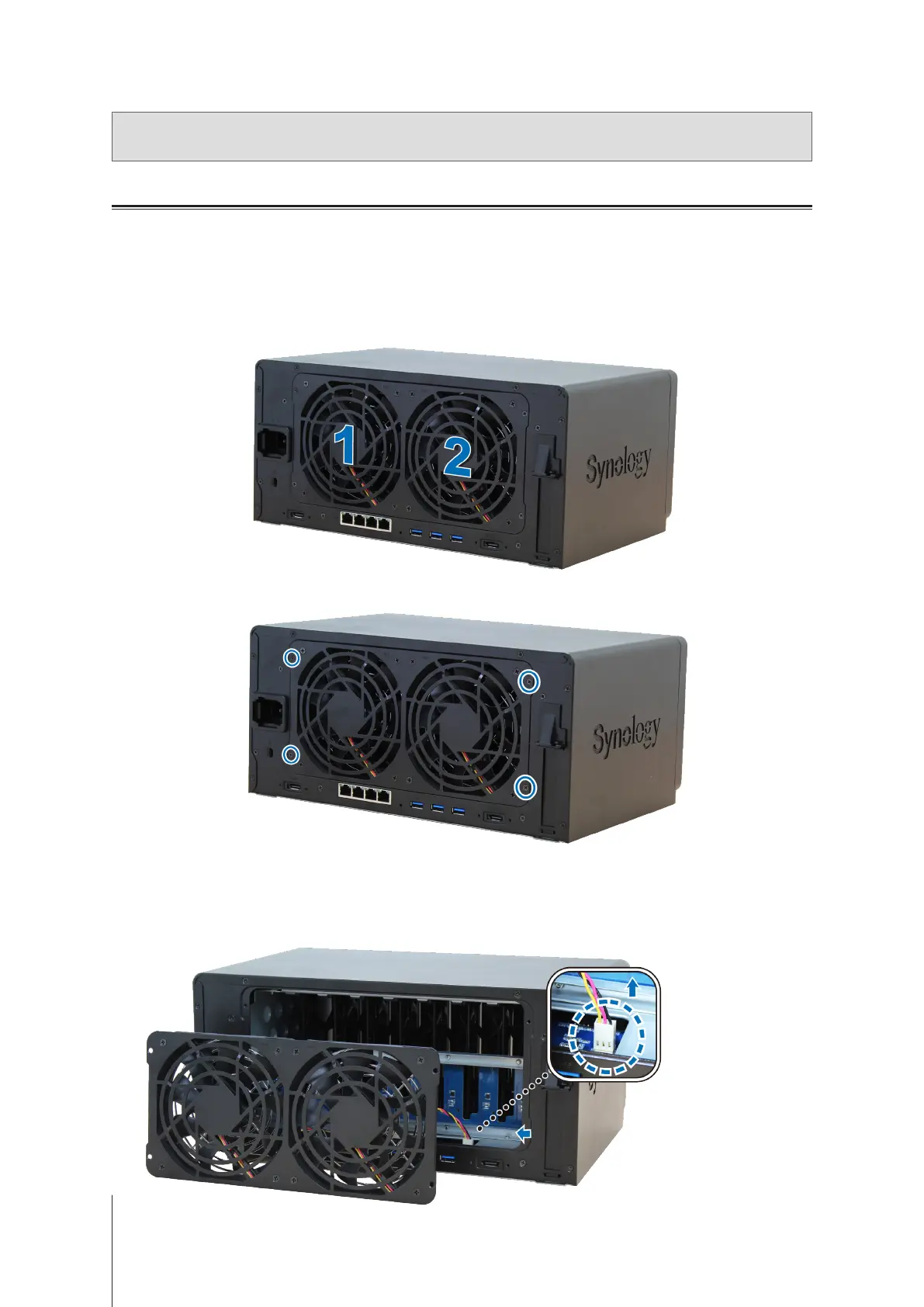
Fans are numbered as follows:
3
Remove the 4 screws that secure the fan panel.
4
Remove the malfunctioning fan:
a
Pull the fan panel from your DiskStation.
b
Disconnect the 2 fan cables from the connectors located near the bottom of the fan socket, and then remove
the fan panel.












 To Next Page