13
Chapter 2: Hardware Setup
Add a Network Interface Card
Your DiskStation has a PCI Express expansion slot which allows you to install network interface card for
LAN port expansion
1
.
To install a network interface card:
1
Press and hold the power button until you hear a beep sound to shut down your DiskStation. Disconnect all
cables from your DiskStation to prevent any possible damage.
2
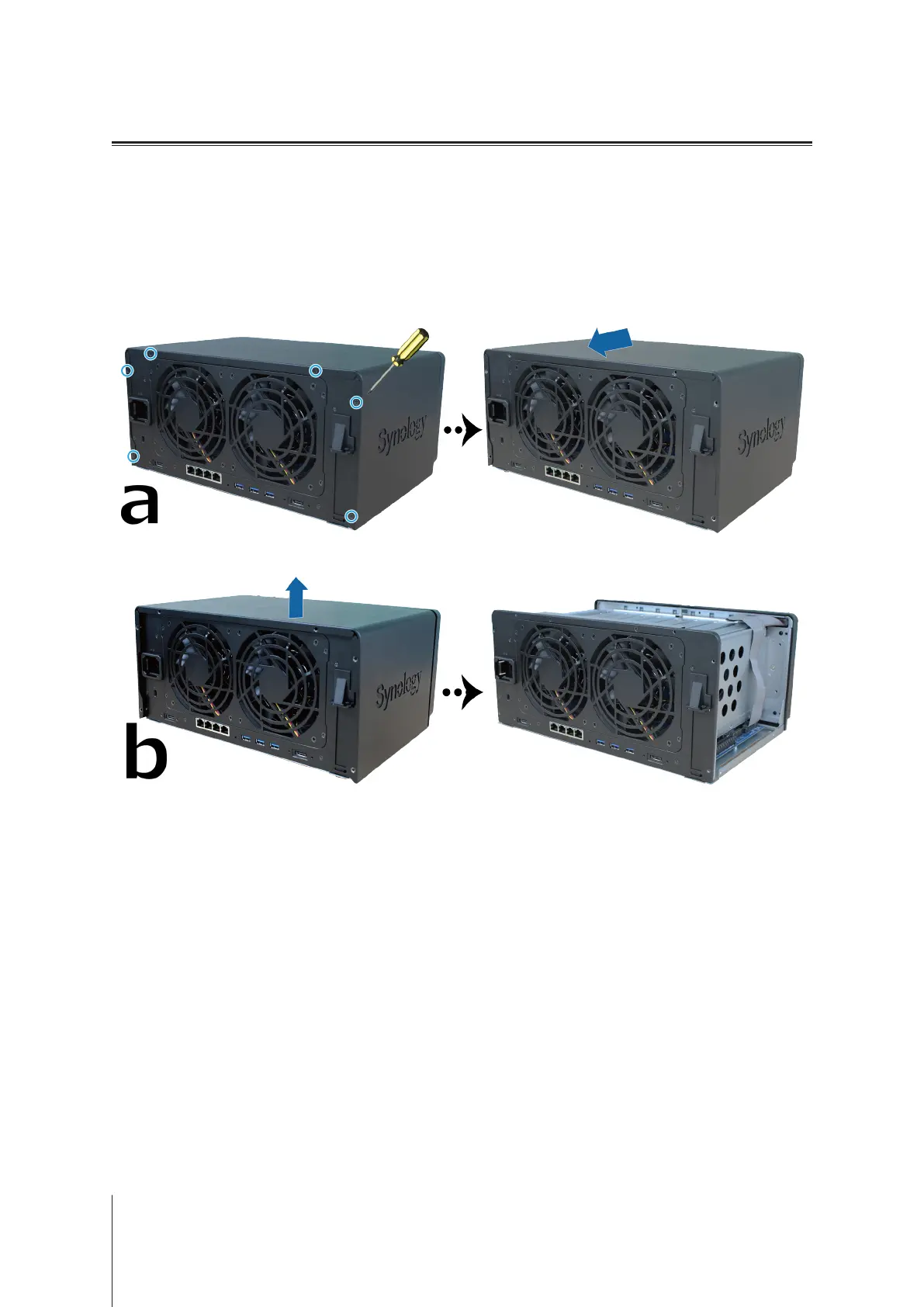
Open the top cover of your DiskStation:
a
Remove the 6 screws securing the main unit and pull the top cover backward a little.
b
Lift and remove the top cover.
1
For more information about supported network interface cards, please visit
www.synology.com
.








 To Next Page