12
3
Chapter 3: Install DSM
On a network computer, follow the steps in this chapter to install DiskStation Manager (DSM) for your DiskStation.
After DSM is installed, you can manage all features of your DiskStation by logging into the DiskStation Manager
with a web browser.
Install from Windows
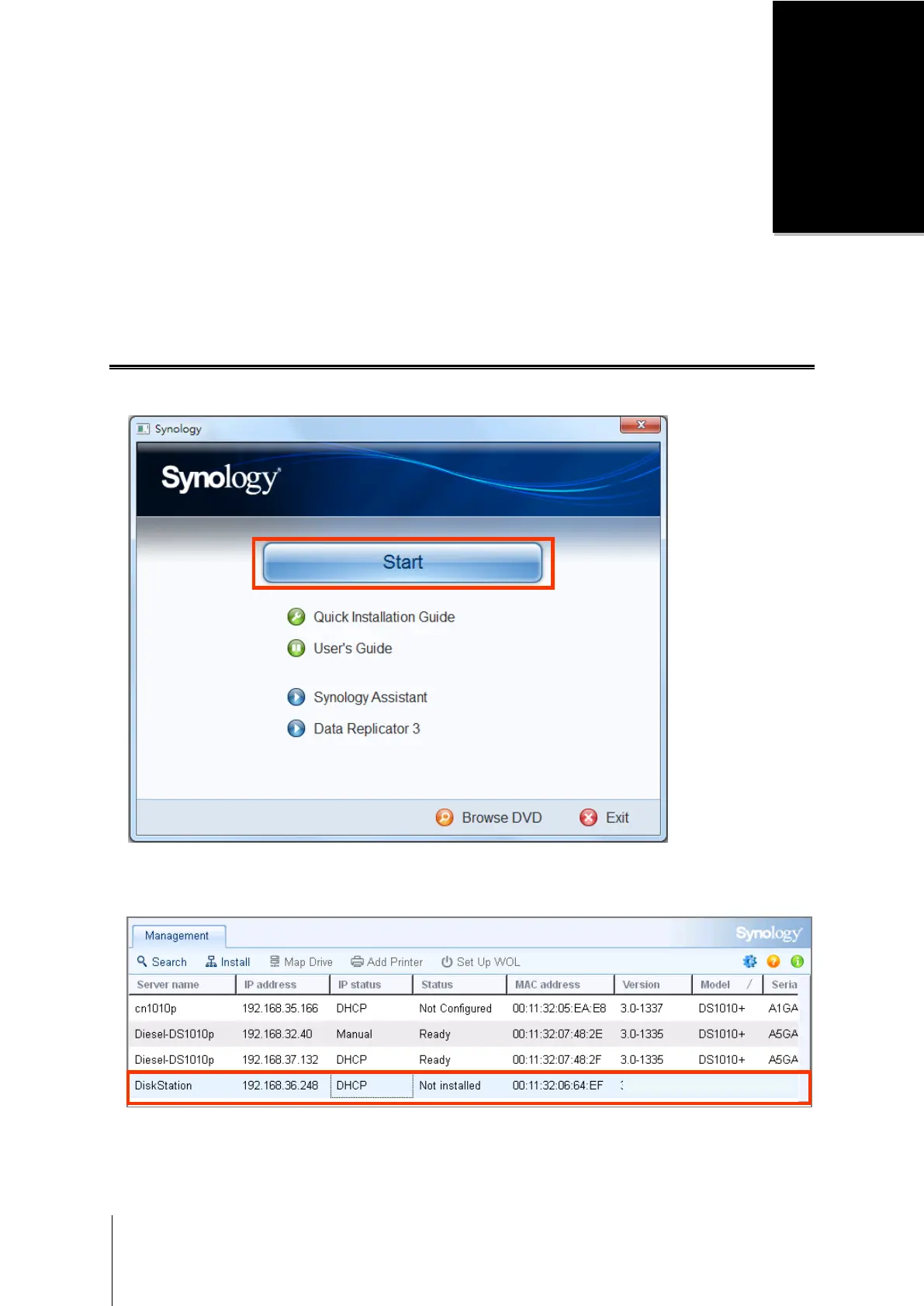
1 Insert the installation disc into your computer, and click Start. Follow the onscreen instructions to complete the
setup process.
2 Synology Assistant will be installed and launched on your computer. It will search and find your DiskStation in
LAN, and the status of your DiskStation should be Not Installed. Double-click your DiskStation to start the
setup process.









 To Next Page