8 Chapter 2: Hardware Setup
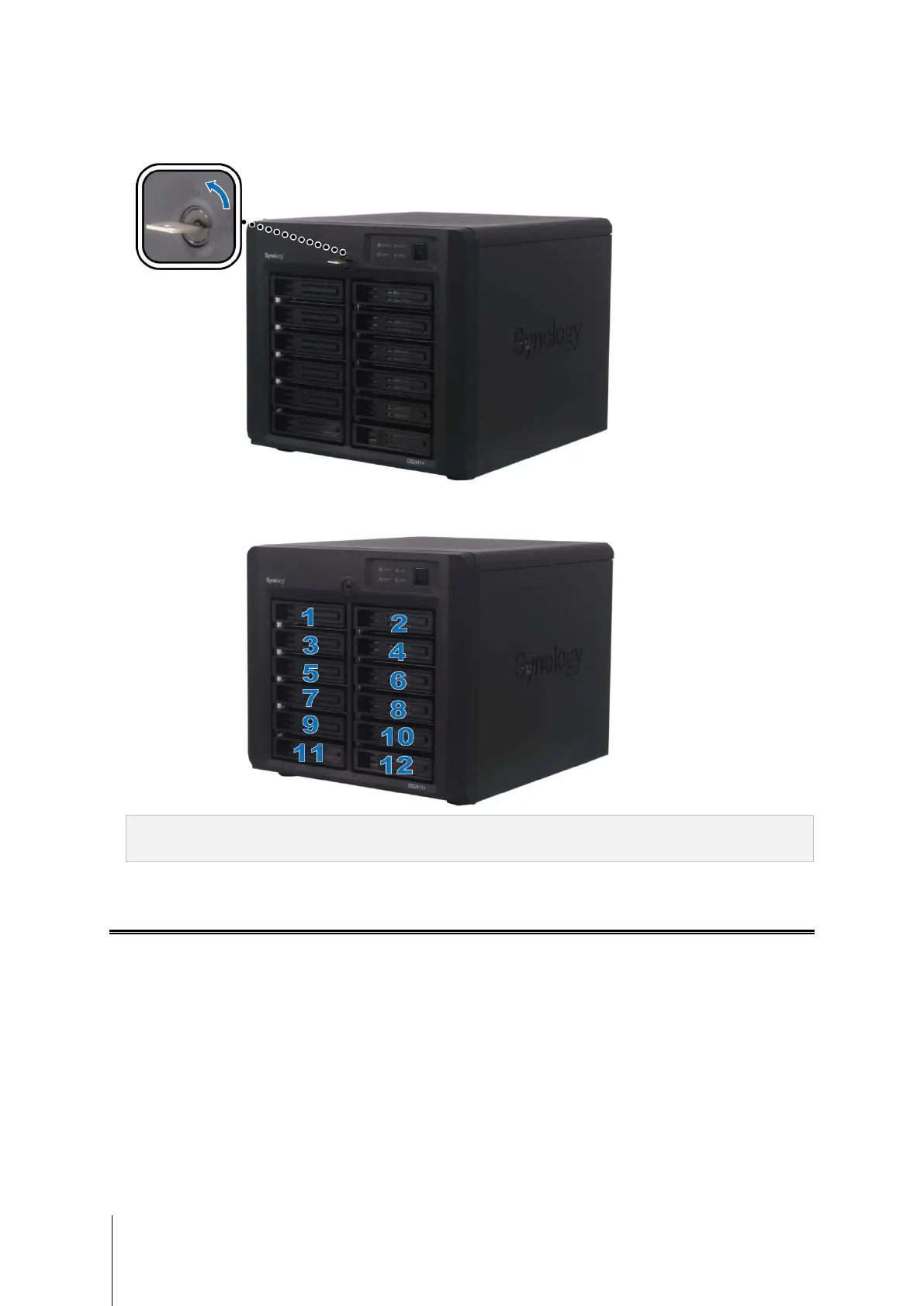
6 Turn the hard drive tray key 90˚ counter clock-wise (to the Lock position) to lock the handles of the hard drive
trays.
7 Repeat the above steps to install all the other disks on your DiskStation.
8 The disks’ positions are numbered as shown below.
Note: If you want to set up a RAID set, it is recommended that all installed hard disks are of the same size to make
the best use of hard disk capacity.
Add a RAM Module on DiskStation
Synology RAM module 1GB/2GB is designed for DiskStation memory expansion, and is optional for your choice.
Follow the steps below to install, check, or remove your RAM module.
Install the RAM Module
1 Shut down your DiskStation. Disconnect all cables connected to your DiskStation to prevent any possible
damages.









 To Next Page