Tools and Parts for Drive Installation
• A screwdriver
• One 3.5” or 2.5” SATA drive (please visit
www.synology.com
for compatible drive models.)
Warning:
If you install a drive that contains data, the system will format the drive and erase all existing data. Please
back up any important data before installation.
Install Drives
1
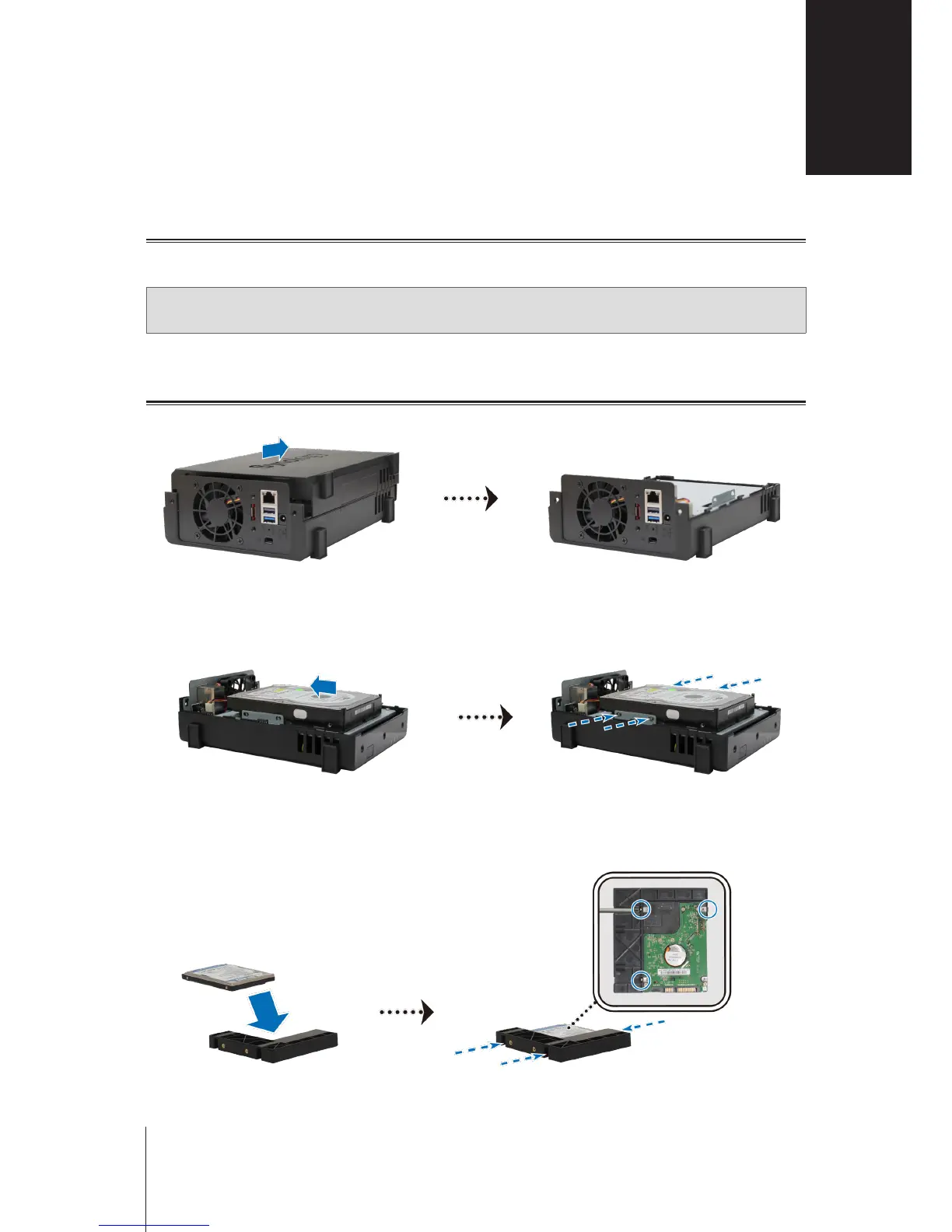
Push the upper case in the direction as shown below. Lift the upper case and set it aside.
2
Install drives:
•
For 3.5” drives:
Slide the drive into the hard drive bay, and push it all the way until it’s rmly connected to
the SATA connector. Secure the drive with the screws provided.
•
For 2.5” drives:
a
Place the drive in the 2.5" Disk Holder (Type C, sold separately), and then tighten the 2.5" screws to
secure the drive.
Hardware Setup
2
Chapter
6













 To Next Page