7
Chapter 2: Hardware Setup
b
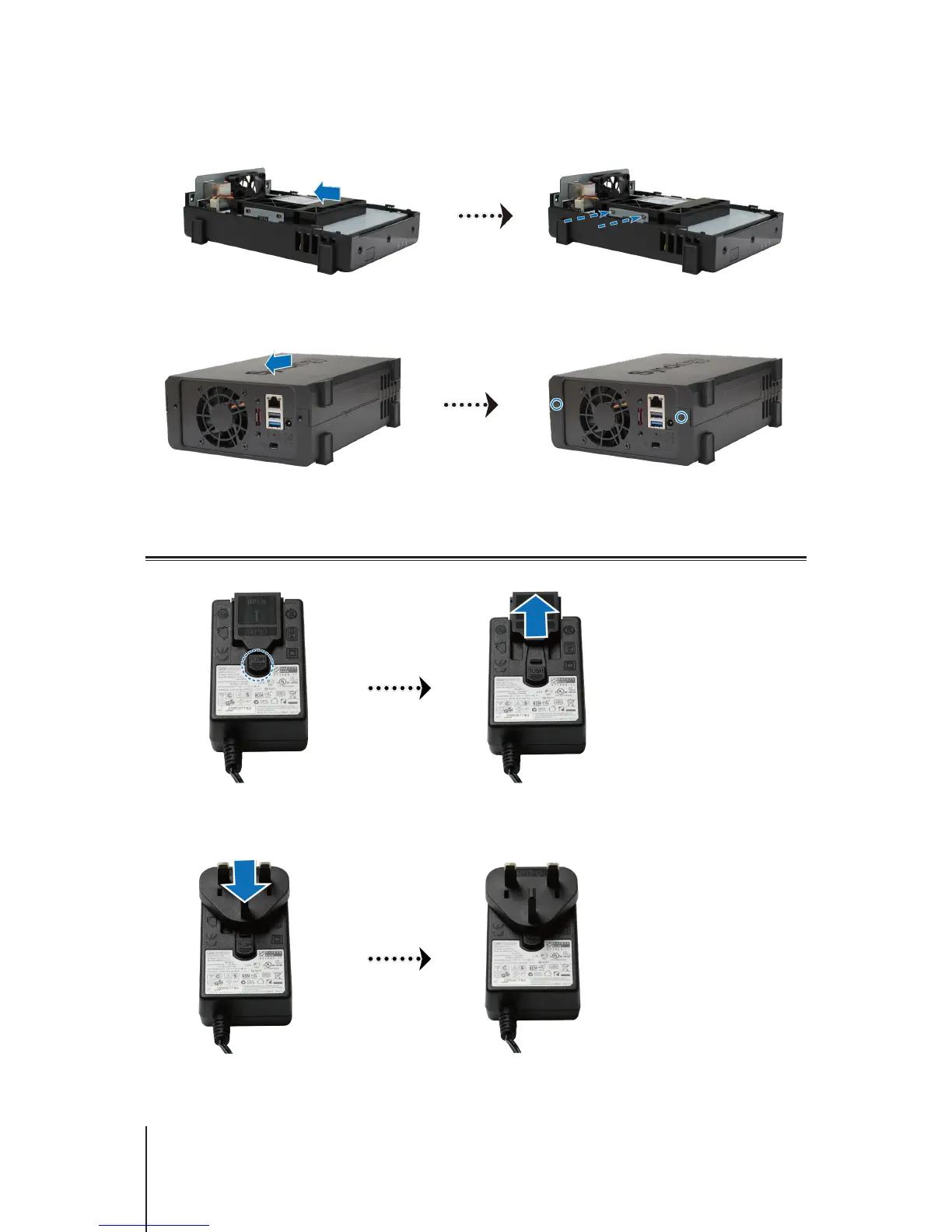
Slide the 2.5" Disk Holder into the hard drive bay, and push it all the way until the drive is rmly connected
to the SATA connector. Secure the Disk Holder with the provided screws.
3
Replace the upper case, and tighten the screws on the back panel.
Start Up Your DiskStation
1
Push the button on the adapter provided in the package and pull out the plug case as illustrated below.
2
Slide the plug adapter provided into the slots by pushing it downward. Note that the plug adapter that comes
with your DiskStation varies depending on your region. The image below is for reference only.













 To Next Page