7
Chapter2:HardwareSetup
b
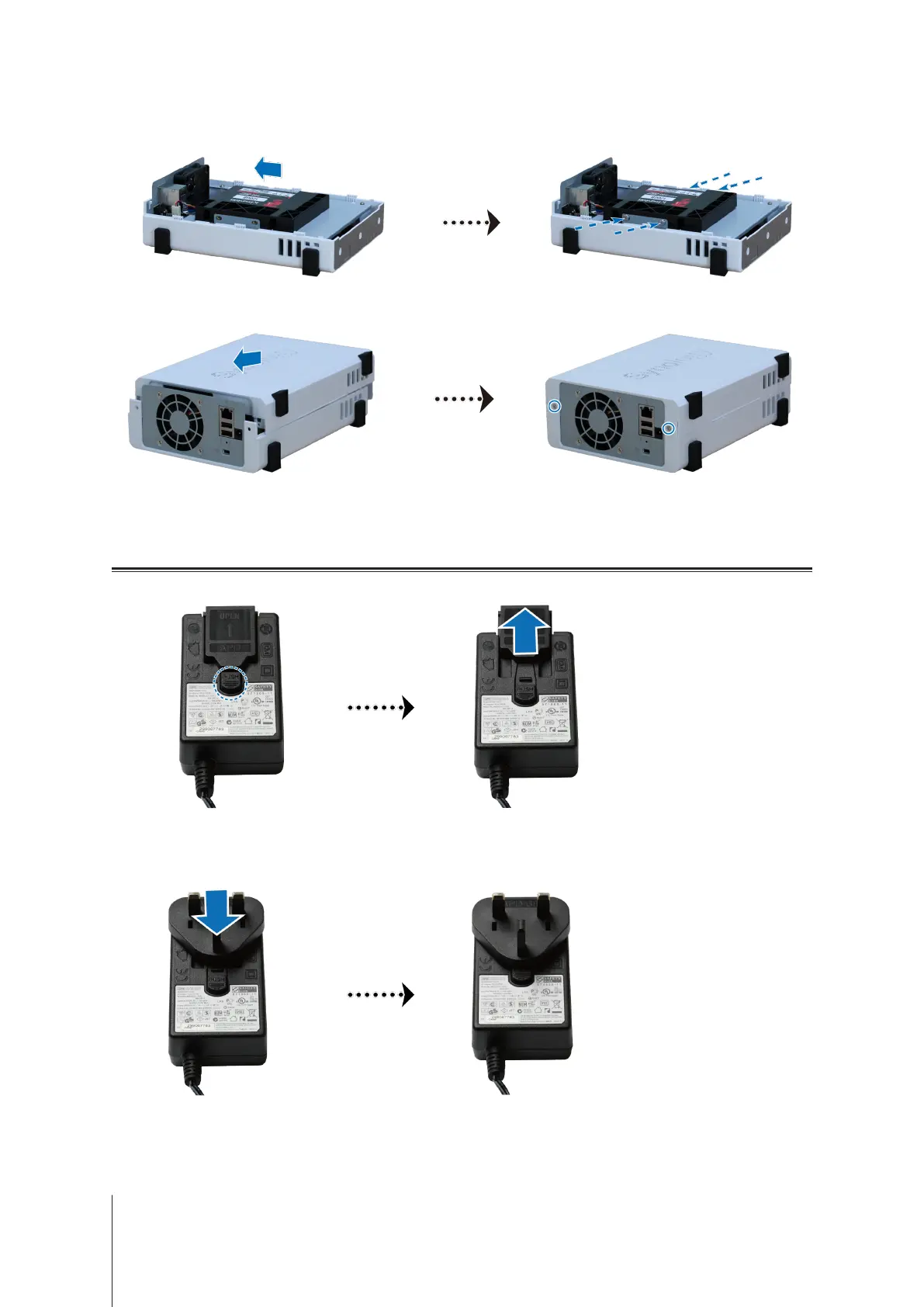
Slidethe2.5"DiskHolderintotheharddrivebay,andpushitallthewayuntilthedriveisrmlyconnected
totheSATAconnector.SecuretheDiskHolderwiththeprovidedscrews.
3
Replacetheuppercase,andtightenthescrewsonthebackpanel.
Start Up Your DiskStation
1
Pushthebuttonontheadapterprovidedinthepackageandpullouttheplugcaseasillustratedbelow.
2
Slidetheplugadapterprovidedintotheslotsbypushingitdownward.Notethattheplugadapterthatcomes
withyourDiskStationvariesdependingonyourregion.Theimagebelowisforreferenceonly.


 To Next Page