3
9
Chapter
Afterhardwaresetupisnished,pleaseinstallDiskStationManager(DSM)–Synology’sbrowser-based
operatingsystem–onyourDiskStation.
Install DSM with Web Assistant
YourDiskStationcomeswithabuilt-intoolcalled
Web Assistant
thathelpsyoudownloadthelatestversionof
DSMfromtheInternetandinstallitonyourDiskStation.TouseWebAssistant,pleasefollowthestepsbelow.
1
PowerontheDiskStation.
2
OpenawebbrowseronacomputerconnectedtothesamenetworkastheDiskStation.
3
Entereitherofthefollowingintotheaddressbarofyourbrowser:
a nd.synology.com
b diskstation:5000
4
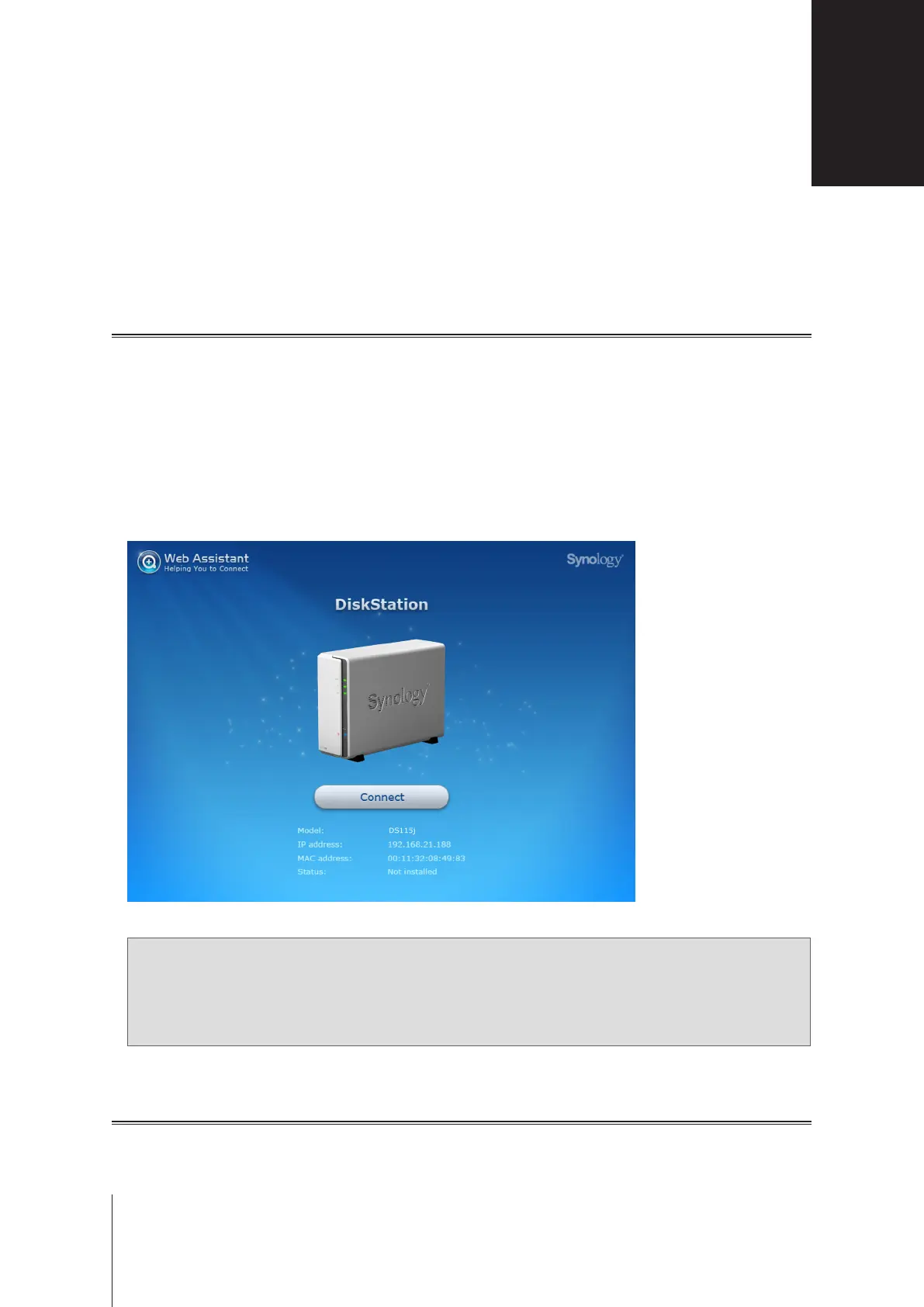
WebAssistantwillbelaunchedinyourwebbrowser.ItwillsearchforandndtheDiskStationwithinthelocal
network.ThestatusoftheDiskStationshouldbe
Not Installed
.
5
Click
Connect
tostartthesetupprocessandfollowtheonscreeninstructions.
Note:
1. TheDiskStationmustbeconnectedtotheInternettoinstallDSMwithWebAssistant.
2. Suggestedbrowsers:Chrome,Firefox.
3. BoththeDiskStationandthecomputermustbeinthesamelocalnetwork.
Learn More
Congratulations!YourDiskStationisnowreadyforaction.Formoreinformationoronlineresourcesaboutyour
DiskStation,pleasevisit
www.synology.com
.
Install DSM on DiskStation


 To Next Page