10
Chapter 2: Hardware Setup
3
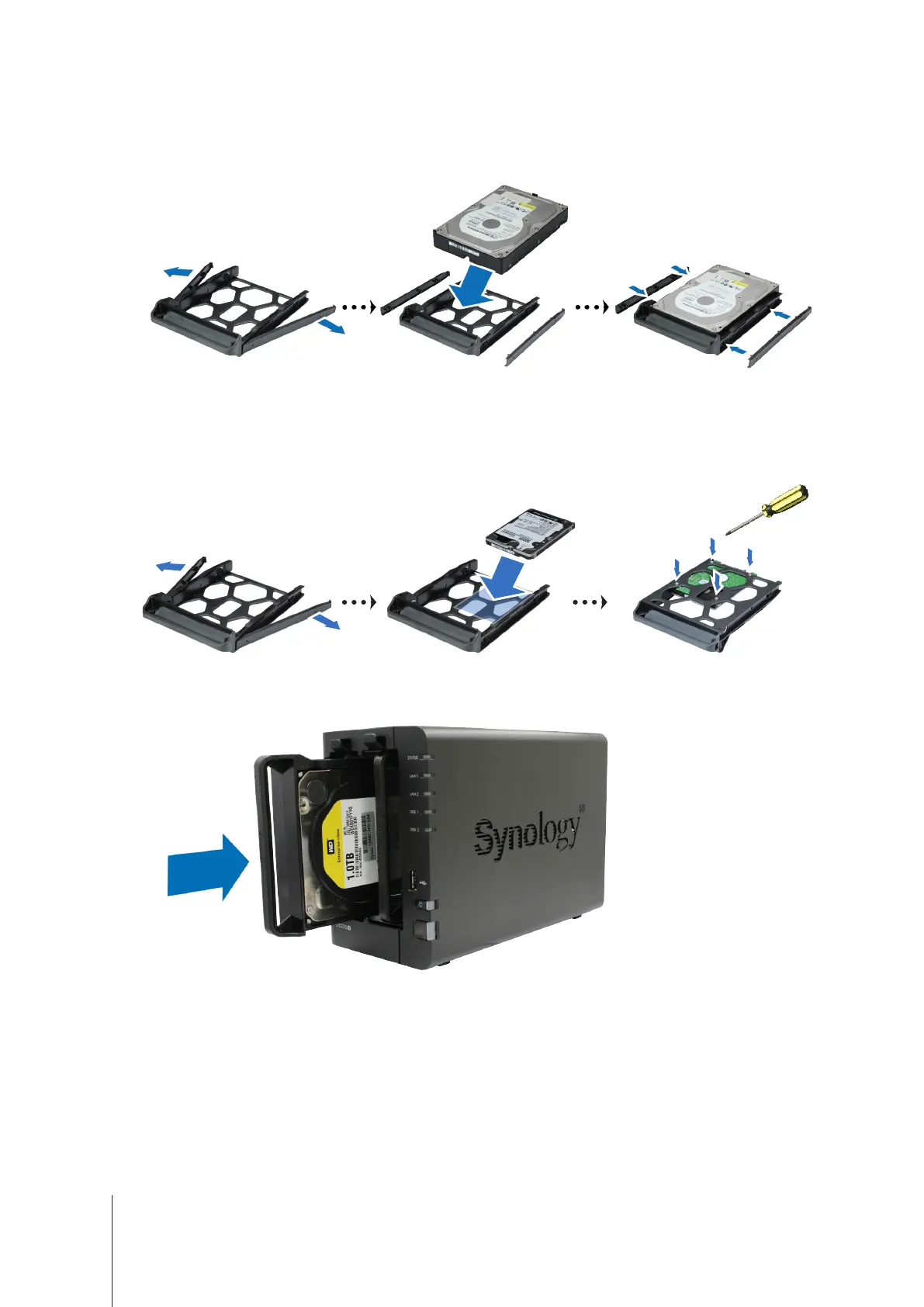
Load drives in the drive trays.
• For 3.5" drives:
Remove the fastening panels from the sides of the drive tray. Place the drive in the drive
tray. Then insert the fastening panels to secure the drive in place.
• For 2.5" drives:
Remove the fastening panels from the sides of the drive tray and store them in a safe
place. Place the drive in the area of the drive tray indicated by a blue rectangle below, turn the tray upside
down, and then tighten the screws provided to secure the drive in place.
4
Insert the loaded drive tray into the empty drive bay. Make sure the side marked
"UP
" is facing up, and insert
the drive tray into the empty drive bay. You should hear a click when the tray is locked in place.














 To Next Page