11
Chapter 2: Hardware Setup
5
Repeat the steps above to install another drive if you have prepared one.
6
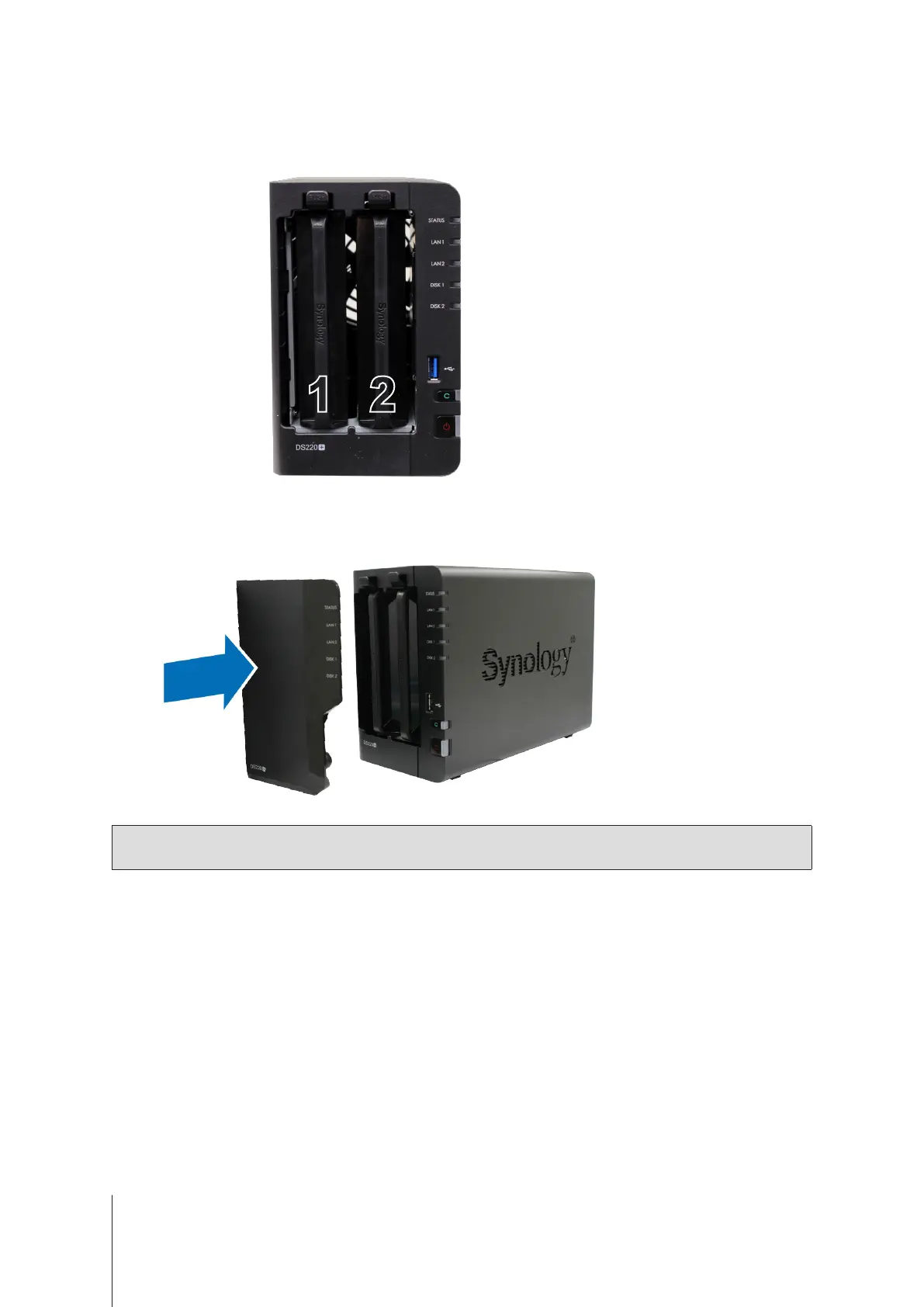
Drives are numbered as shown below.
7
Replace the hard drive bay cover to nish the installation.
Note:
If you plan to create a RAID volume, we recommend installing drives of identical size to make the best use of
drive capacity.









 To Next Page