9
Tools and Parts for Component Installation
Please prepare the following tools and parts before setting up your Synology NAS:
• A screwdriver (only for 2.5" drives)
• At least one 3.5" or 2.5" SATA drive (please visit
www.synology.com/compatibility
for compatible drive
models)
Warning:
If you install a drive that contains data, the system will format the drive and erase all existing data. Please
back up any important data before installation.
Install Drives
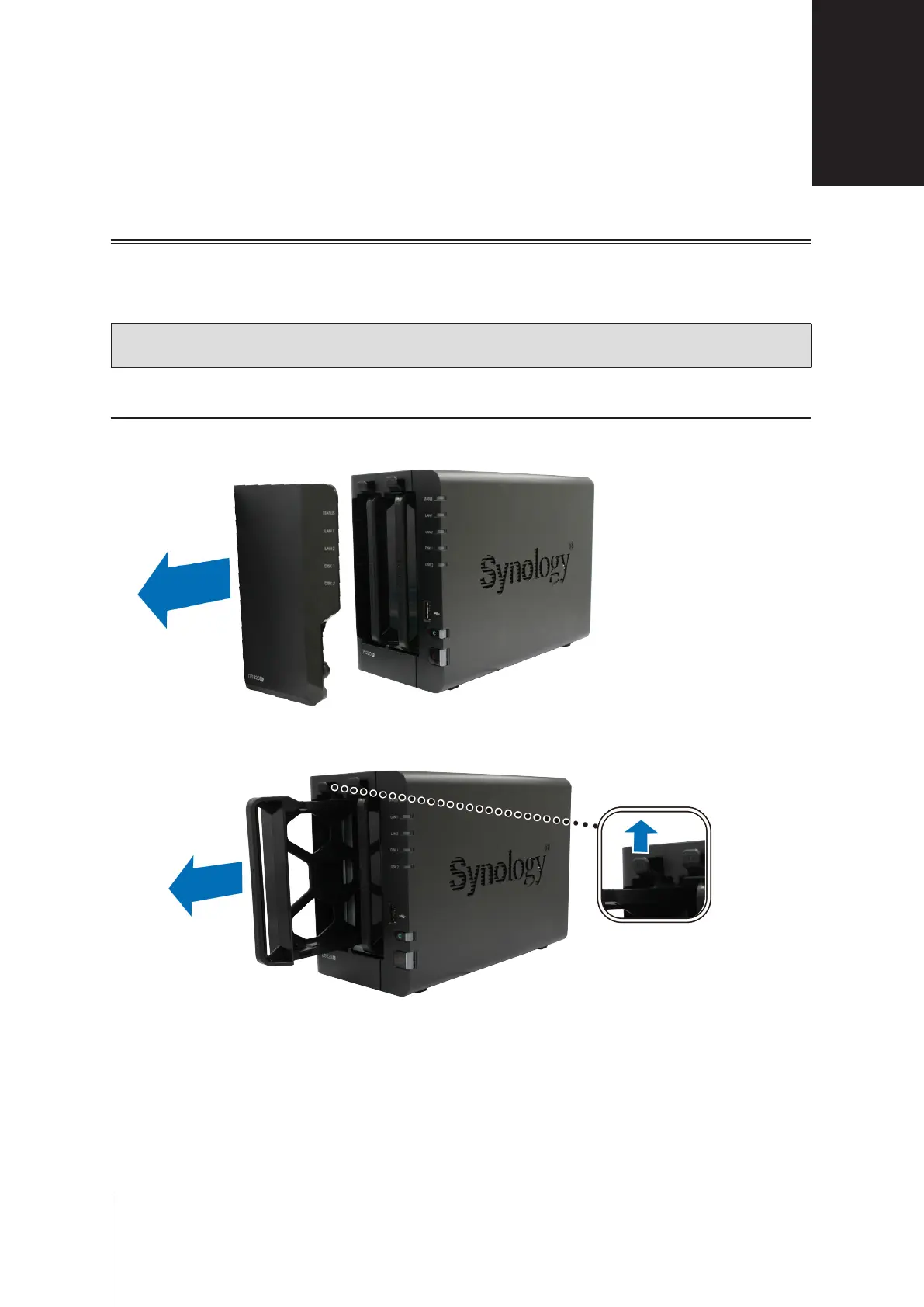
1
Remove the drive bay cover from the front panel.
2
Push the latch upward and pull the handle to remove the drive tray from your Synology NAS.
Hardware Setup
2
Chapter








 To Next Page