机床产品/Machine Tool Products – 60CA/60CB Simple-Type Wood Cutting Machine Operation Manual
Fenu and System Introduction– 38
•
•
•
•
•
•
•
•
a.
b.
•
•
•
•
i.
ii.
•
i.
1.
2.
ii.
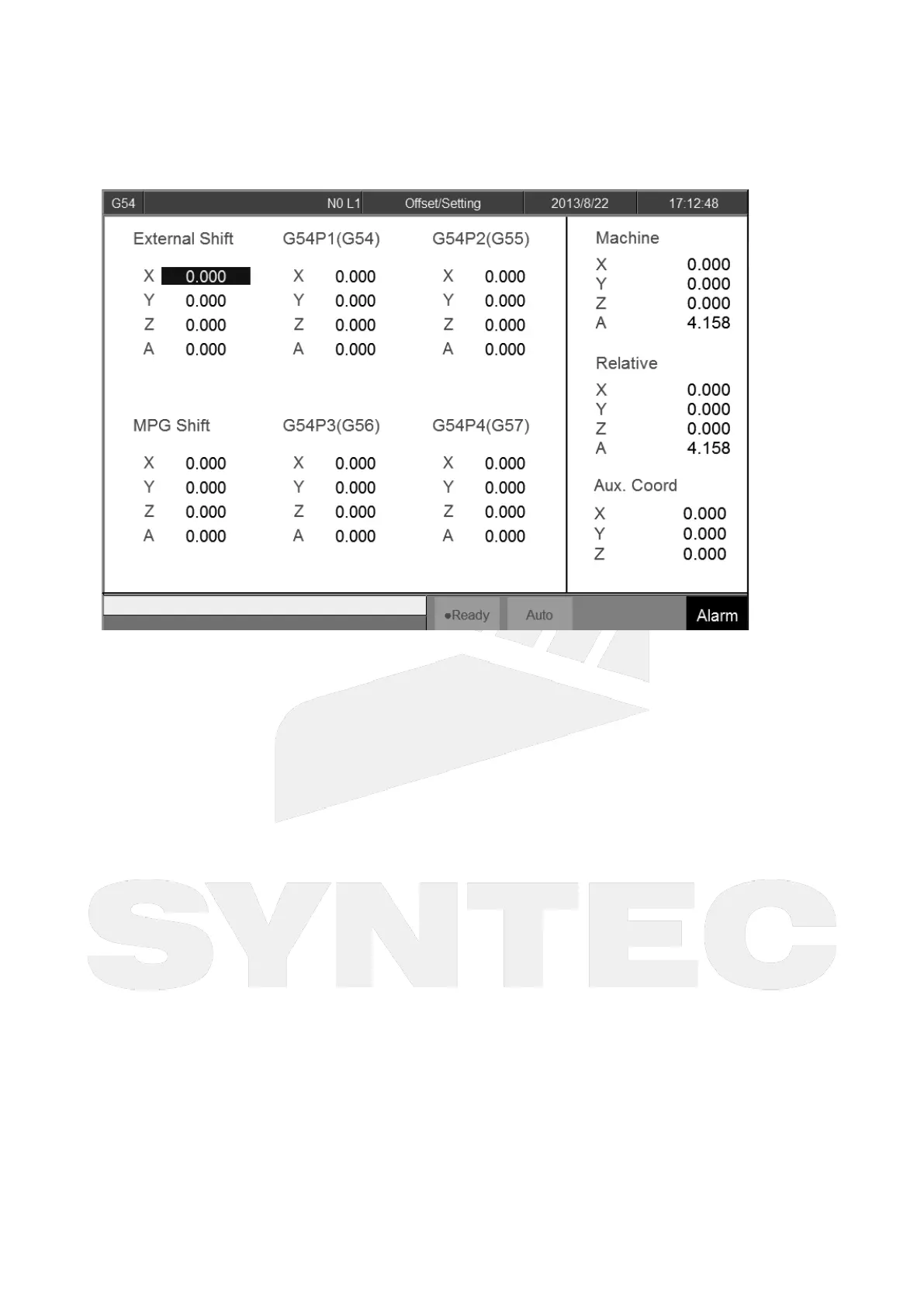
4.7.1 Workpiece Cord.
Path
5 key, 8key: F3 Offset/Setting→F1 Workpiece Coord.
10+8 key:G3 Offset/Setting→ F1 Workpiece Coord.
Explanation
Switch to "Workpiece Coord." screen with this fenubar
System default will be G54 if there are no specific declaration with G54~G59.10 in the NC program.
External Coordinate Shift:Effective in all workpiece coordinates (G54~G59.10)
Operation
Move the cursor with arrow keys【↑】【↓】【←】【→】
Use【PageUp】【PageDown】to switch between pages.
Note
After setting the workpiece coordinate, please set the tool length compensation again.
Modification Timing
External Shift:
Able to modify:Block stop(ex:M00/M01), ready or not ready not caused by C40
Not able to modify:Block stop or feedhold caused by C40 during machining or pre-
interpretation
Workpiece Coordinate (G54P1(G54), G54P2(G55), ..... G54P100):
Able to modify:
Block stop, ready or not ready not caused by C40;
Block stop or feedhold caused by C40, but not modifying the using machining
coordinate.
Not able to modify:


 To Next Page