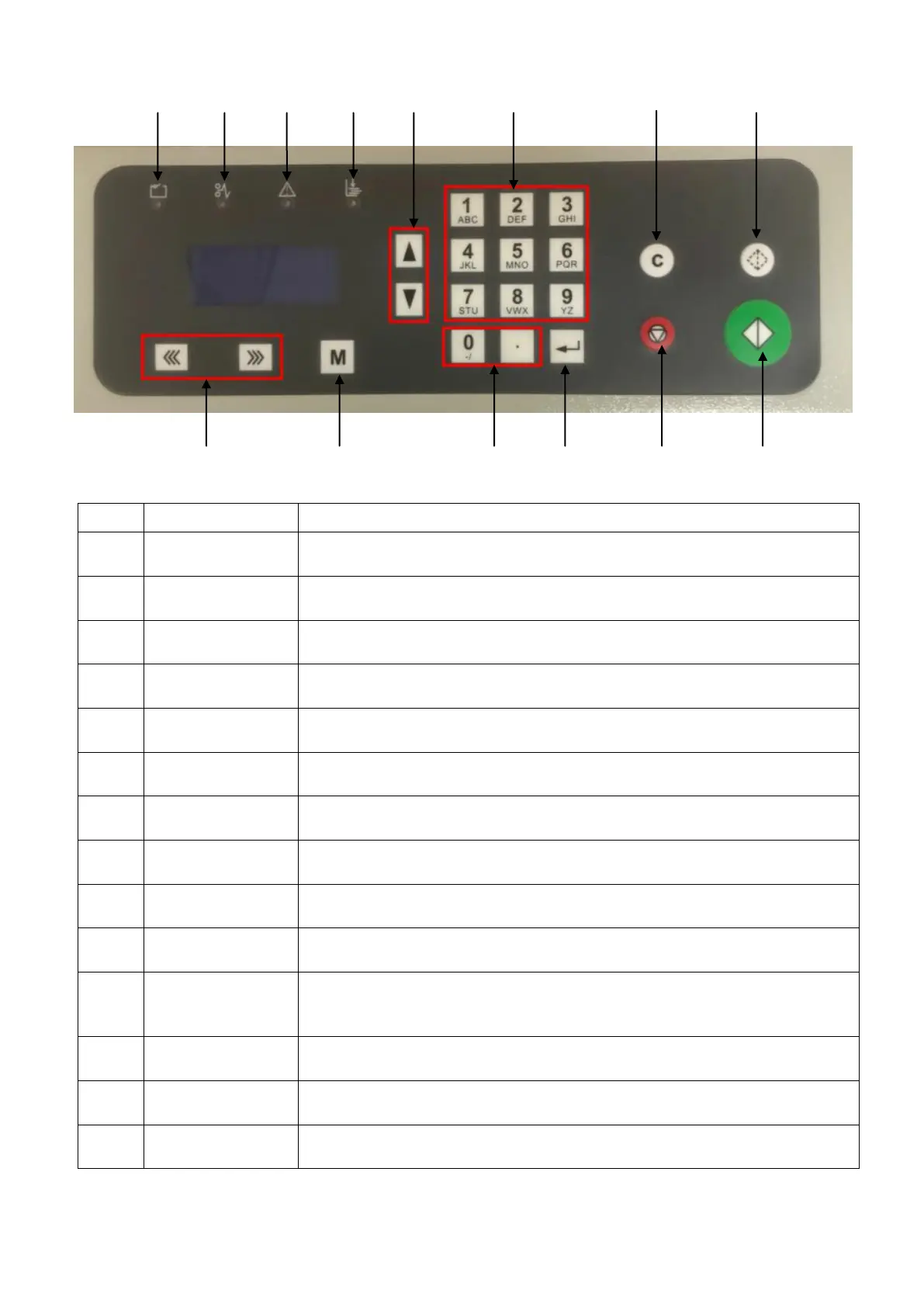
8
10 9 8 7 6 5 4 3
11 12 13 5 1 2
Stop running or change to standby
Start processing or change standby to running
Feeding one pass to check the machine settings
Delete input or reset errors
Scroll pages on the screen
This LED will be on when no paper is loading
This LED will be on when crease motor is stall
This LED will be on when paper jam occurs
This LED will be on when the safety cover is open
Run the roller forward or backward to eject the jammed
paper out when paper jam occurs
Access the settings interface


 To Next Page