
 Need help?
Do you have a question about the SYSFORM CP330B and is the answer not in the manual?
Before maintenance, switch off electrical sources and ensure panels/covers are in place.
Most accidents result from not following safety rules; careful operators prevent accidents.
DO and DO NOT list for safe operation and maintenance practices.
Specifies voltage, frequency, and harmonic requirements for the machine's power supply.
Details optimal operating conditions including temperature, humidity, altitude, and environmental factors.
Instruction to remove a red bracket prior to machine installation.
Guidance on securing the extension table using three screws.
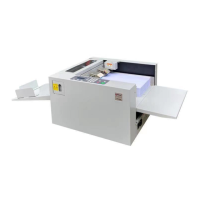
Description of the output tray components like side lay and end stop.
Adjusting side guides and using weights for smooth paper feeding.
Instructions for installing the blade, referring to the label on the blade gate.
Detailed description of buttons, their functions, and LED indicators on the control panel.
Steps to power on the machine and initial screen display.
Instructions to access and set paper size input via the setup menu.
Guide to accessing and configuring cover hinge settings in the menu.
Instructions for accessing and setting progressive creasing modes.
How to access saved data settings using memory numbers.
Procedure for saving current settings to memory.
Setting the machine's operational speed to LOW or HIGH.
Procedure for calibrating the first creasing position measurement.
Displaying machine information like version, serial number, and total count.
Choosing the measurement unit between 'mm' and 'inch'.
Adjusting the side lay angle for proper paper feeding.
Adjusting creasing depth based on paper thickness using Allen screws.
Troubleshooting steps for blade jamming issues caused by paper feed or blade setting.
Diagnosing paper jams due to thin paper, debris, IR sensor issues, or paper separator damage.
Resolving feed failures by adding weight to the feeding roller.
Addressing bubbling on laminated paper by adjusting crease or film.
Solution for paper wrapping around perforating wheels: keep paper within spec.
Solution for roller wear is replacement.
Checking paper specification and adjusting feed angle for feed skew issues.
Cleaning rollers with water or alcohol to remove accumulated coating.
Solutions include cleaning sensors and calibrating the measurement system.
 General
| Brand | SYSFORM |
|---|---|
| Model | CP330B |
| Category | Binding Machine |
| Language | English |

 To Next Page
