4 System Program
4 - 32
NA-series Programmable Terminal Hardware User’s Manual (V117)
Starting from a User Screen
The required settings are made from the Sysmac Studio.
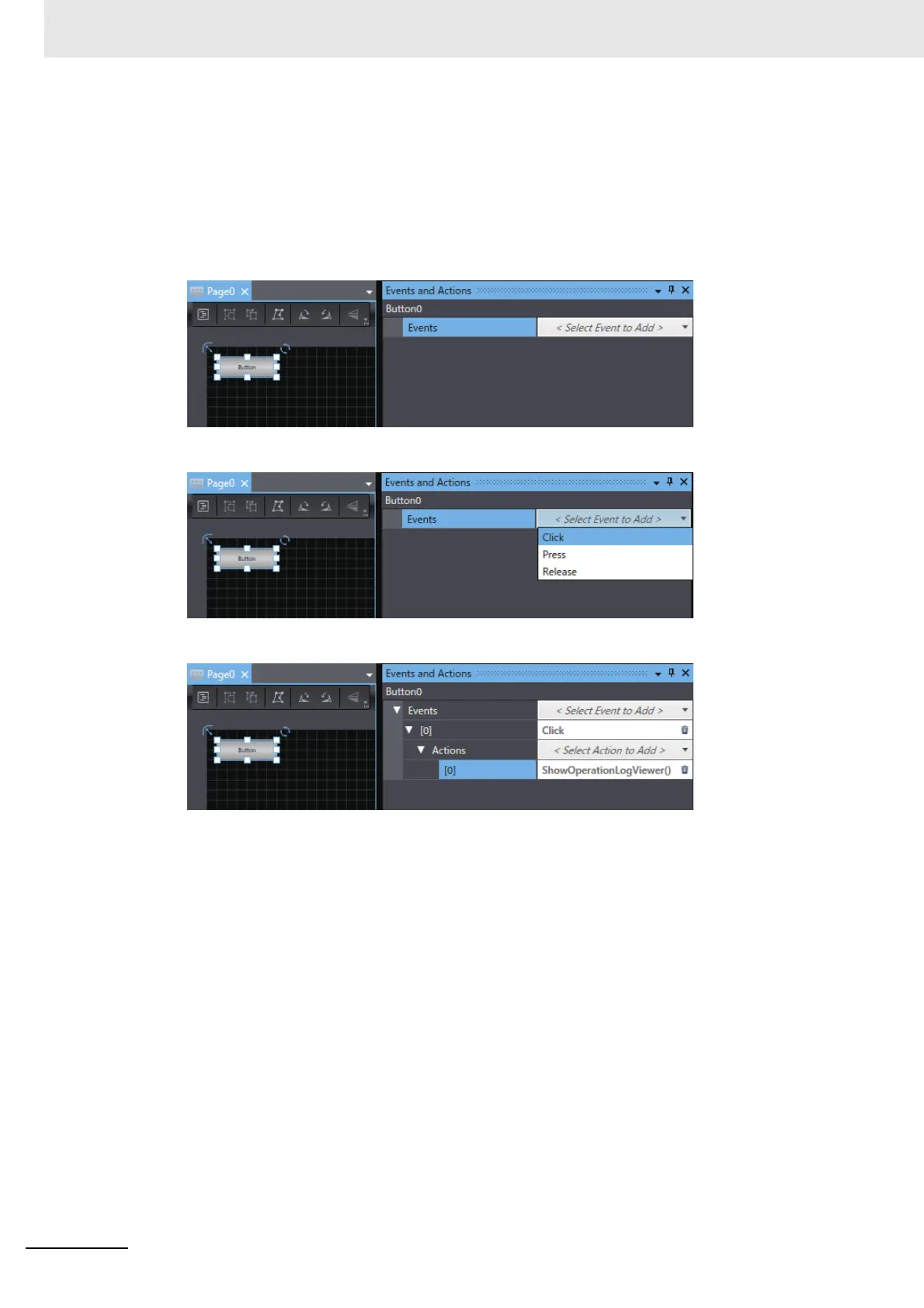
The following example shows how to execute the Operation Log Viewer by using an object event.
In this example, settings are performed to execute Operation Log Viewer when a Button object is
tapped.
1 Place a Button object on the screen and display Events and Actions.
2 Select Click as the event.
3 Select ShowOperationLogViewer as the action.



 To Next Page