2 Configuration Units
2 - 12
NA-series Programmable Terminal Hardware User’s Manual (V117)
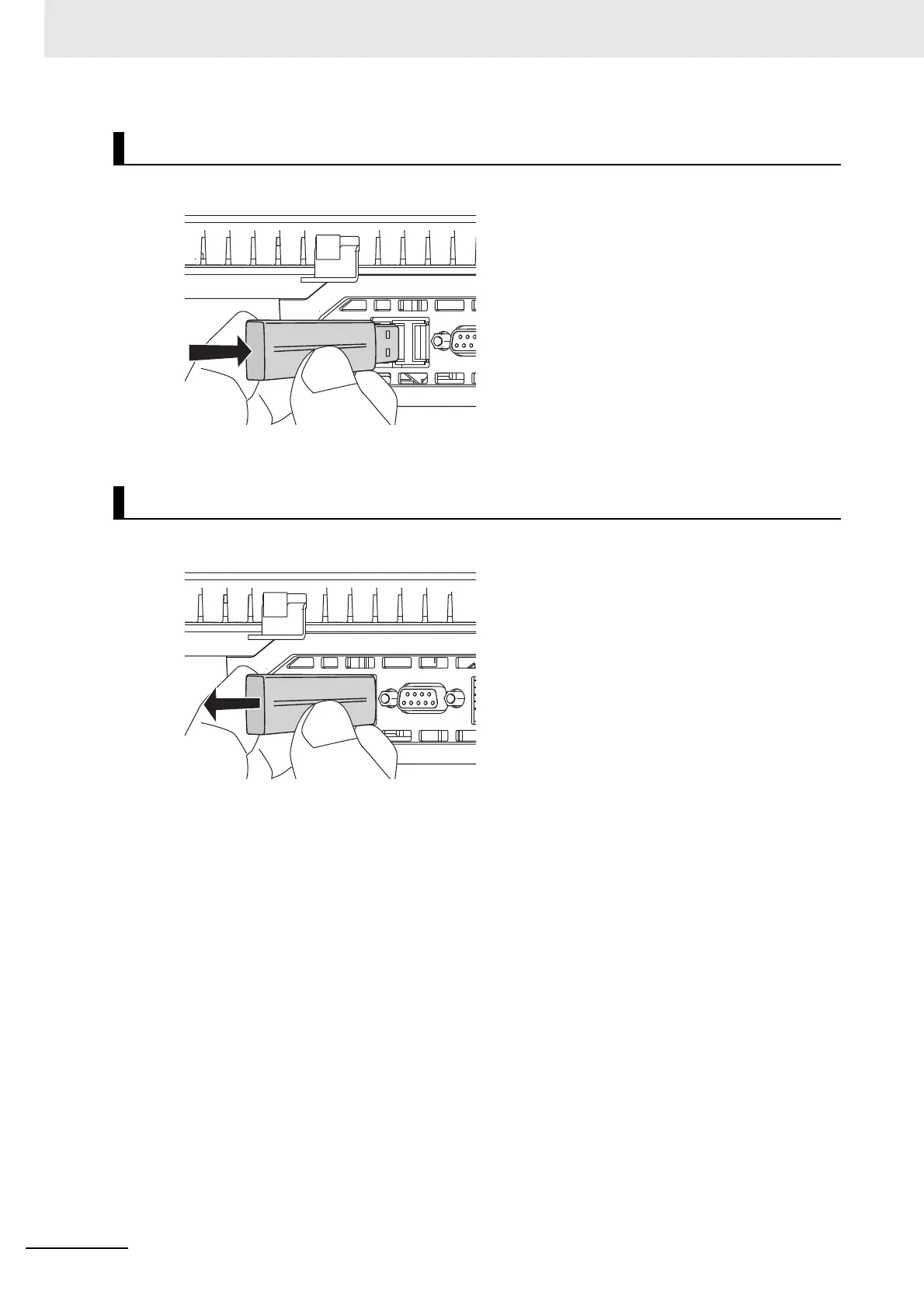
1 Insert the USB Memory Devices into the USB host port on the back of the NA Unit.
2 Push the USB Memory Device all of the way in.
1 Execute EjectUSBDevice in a subroutine and then remove the USB Memory Device.
Installing the USB Memory Device
Removing the USB Memory Device



 To Next Page