4 - 17
4 System Program
NA-series Programmable Terminal Hardware User’s Manual (V117)
4-4 System Menu Details
4
4-4-5 NJ/NX/NY Troubleshooter (Project System Menu)
There are four ways to start the NJ/NX/NY Troubleshooter.
•Select NJ/NX/NY Troubleshooter from the System Menu.
• Execute the ShowTroubleshooter action.
• Execute the ShowTroubleshooter function.
• Set the Troubleshooter operation settings to specify monitoring user-defined or Controller errors.
(The NJ/NX/NY Troubleshooter will be displayed automatically when a user-defined error or Control-
ler error occurs.)
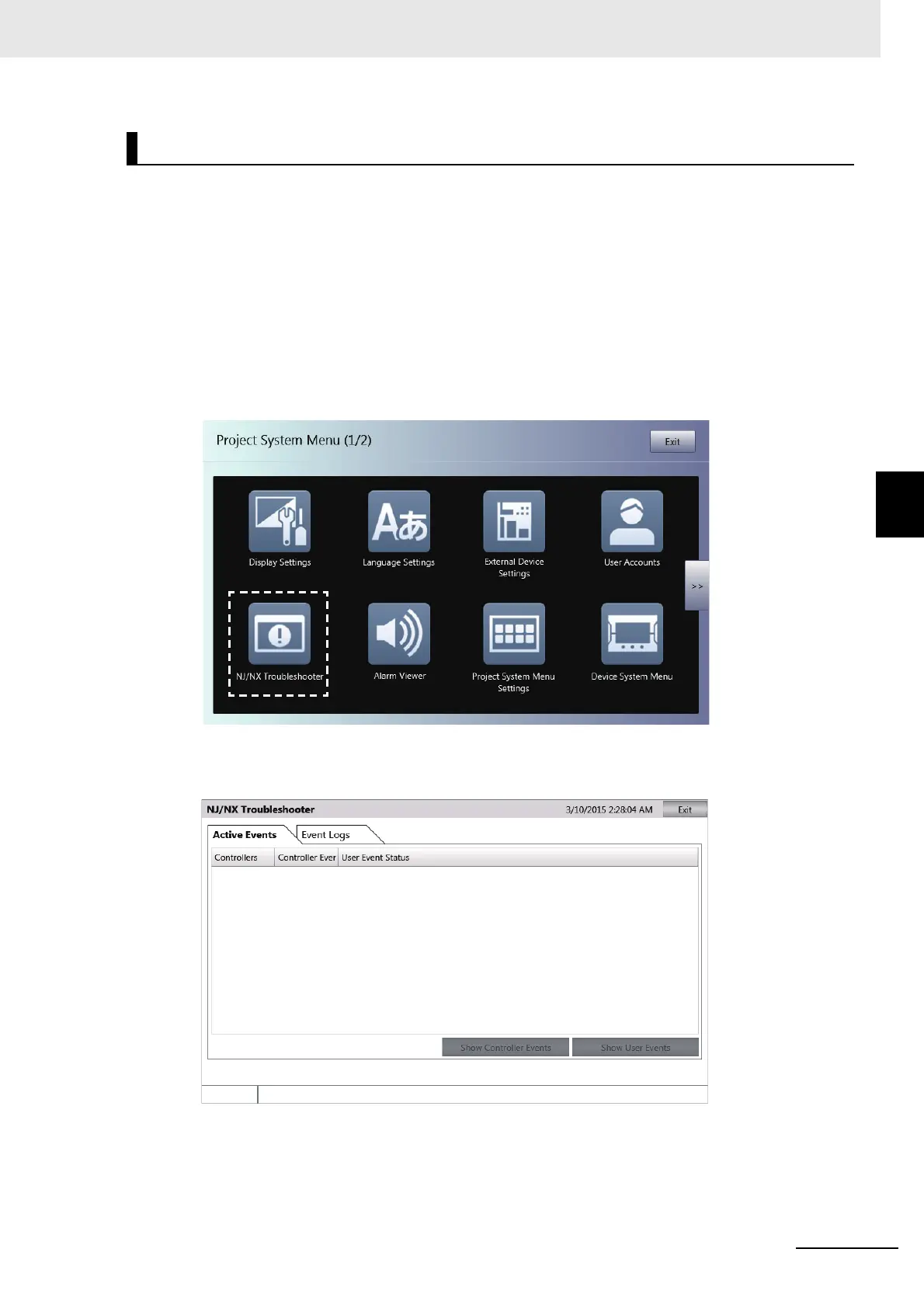
Starting from the System Menu
1 Display the System Menu and select NJ/NX/NY Troubleshooter.
2 The NJ/NX/NY Troubleshooter will be started.
Starting and Quitting the NJ/NX/NY Troubleshooter



 To Next Page