MAINTENANCE AND SUPPLIES REPLACEMENT
Sysmex KX-21 Operator’s Manual -- Revised October 1998 4-17
(1) Press [1] key to select "1: Exec. Clean" on the Scheduled Maintenance Message
screen. The SRV cycle counter is reset and the unit is ready to be turned off.
*
Scheduled Maint.
*
SRV cycle counter was reset.
Turn OFF the power.
Figure 4-6-2: Clean SRV Screen
CAUTION: • Before turning the power off, always select "1: Exec. Clean," making
the unit ready to be turned off.
(2) Turn off the power of the main unit and wait approximately 30 seconds.
(3) Open the front cover of the main unit.
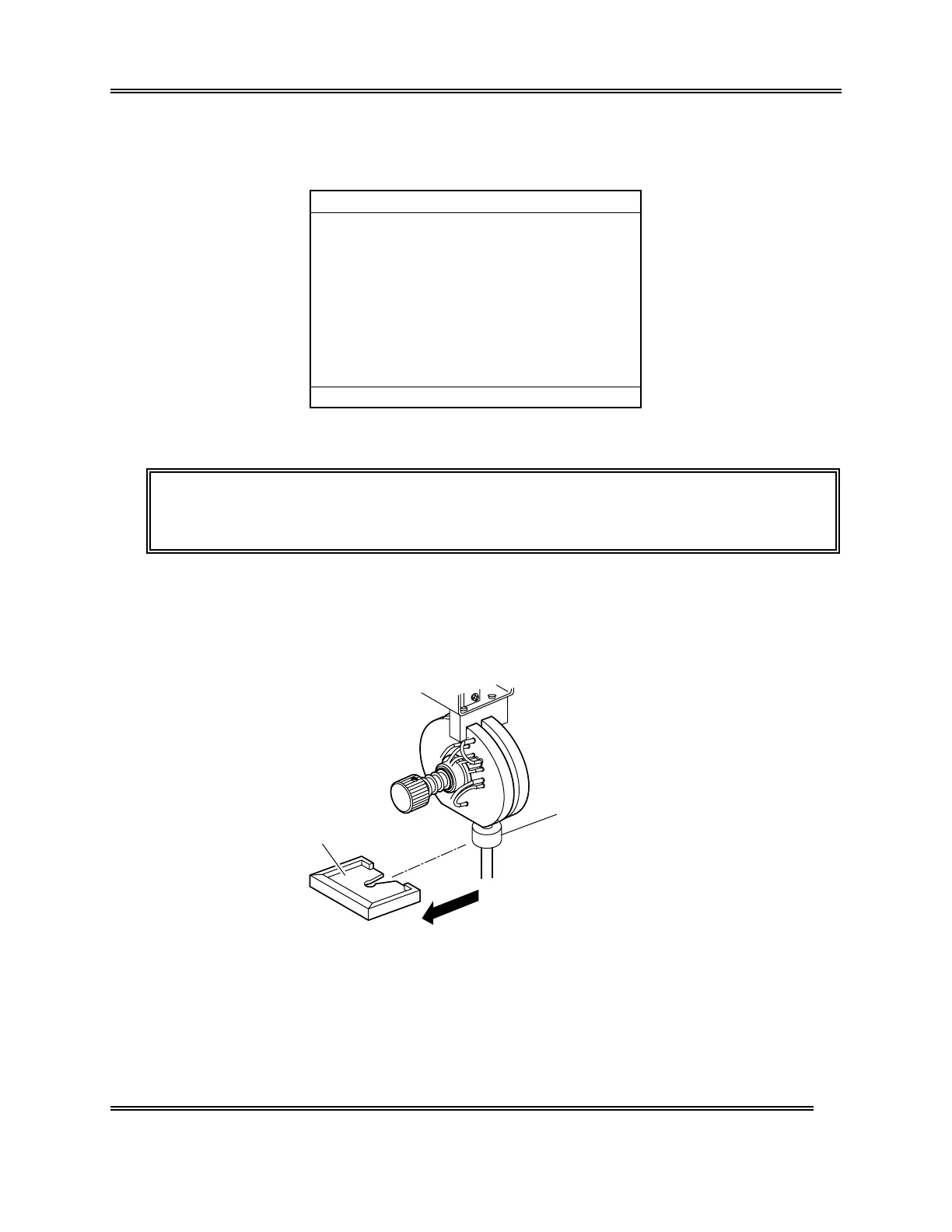
(4) Remove the sample rotor valve (SRV) tray.
Tray
Probe Fixing Screw
Figure 4-6-3: Removing the Tray



 To Next Page