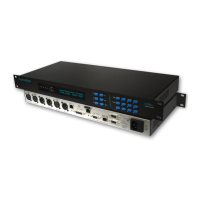
Hitachi Ta's in the following audio modes:
HIT-APTX:7K5 Stereo 128K (Hitachi mux)
HIT-APTX:15K2 Mono 128K (Hitachi mux)
Both of these modes will invoke Clear channel
communication with the far end device.
Auxiliary Data Port
MENU: AuxData
Off
The Auxiliary Data Port can be configured for the
following modes:
Off,
9600bps,
4800bps,
2400bps,
9600bps(alt), APT compatible
4800bps(alt), APT compatible
2400bps(alt), APT compatible
Relay Mode.
NOTE1: CTS output signal should be used for Flow Control
when Auxiliary Data is enabled.
NOTE2: All modes appended by “(alt)” are compatible with
codec’s manufactured by APT.
NOTE3: Relay mode enables two sets or bi-directional
contact closures. The connection details are shown in the
“Manager Input Port” and “Manager Output Port” sections of
this manual.
NOTE4: At present Aux data is not passed over IP
connections.
Alarm
MENU: Alarm
Sync Loss
The Alarm output can be configured to the following
options:
Off
Sync Loss
Backup
Headroom
MENU: Headroom
+12dBu
Headroom can be configured to either level.
System Options
The user can modify the global System
configurations of the Codec.
Country Options
There are a number of ISDN parameters associated
with different countries and regions in the world.
NOTE : It is important that the ISDN line should be
disconnected from the Codec before any changes are made.
ISDN Network
MENU: ISDN Network
Euro ETSI
The C510ip-s can be re-configured to operate on 1
of 12 International ISDN Standards:
Euro ETSI
China
New Zealand
France VN3
Australia
Japan NTT
Holland
Israel
Eire
DMS100 (USA)
National 1 (USA)
Custom 5ESS (USA)
ISDN SPID CH1 to 4
MENU: CH1 Spid Pass
001441256880123
The user can configure the ISDN SPID Codes which
are required for operation in the USA and Canada
(National 1, DMS100 & Custom 5ESS). If the SPID
is accepted by the network then Pass will be
displayed in the top right corner, if it is rejected then
Fail is displayed.
Password
MENU: Password
Not Set
The C510ip-s has two levels of password protection
to avoid accidental re-configuration; Edit Lock and
Full Lock.
The user can view all configuration menus but is not
Page 17


 To Next Page