EasyManua.ls Logo

SystemBase C530ip-s - User Manual

SystemBase C530ip-s
22 pages
Print Icon
To Next Page IconTo Next Page
Loading...
Page 1
S
y
s
t
e
m
B
a
s
e
IP CODECS
USER MANUAL
C530ip-s
REL309 upwards

Table of Contents

Question and Answer IconNeed help?

Do you have a question about the SystemBase C530ip-s and is the answer not in the manual?

Summary

INTRODUCTION AND KEY FEATURES

Key Features Overview

Lists the main capabilities and technologies of the C530ip audio codec.

CONTROLS AND INDICATORS

VFD Display Operation

Details the 24-character, 2-line Vacuum Fluorescent Display for status information.

VU Meter Functionality

Explains the 20-bit True RMS digital VU meters for audio channel monitoring.

Menu Navigation Buttons

Describes the function of the navigation and selection buttons for the menu system.

Dial and Hang Button Functions

Explains how DIAL initiates connections and HANG disconnects calls.

Numerical Keypad Usage

Details the keypad for entering IP addresses and names.

FRONT AND REAR PANEL LAYOUT

MENU SYSTEM NAVIGATION AND OPTIONS

System Options Configuration

Allows modification of global system configurations for the codec.

Password Protection Setup

Covers setting a password for configuration security.

Loopback Functionality

Describes the loopback function for internal testing.

SNMP Management Support

Explains SNMP management support.

Ethernet Network Settings

Configuration details for Ethernet, DHCP, IP, Mask, and Gateway.

Restore Factory Defaults

Describes how to restore factory default settings.

IP CONFIGURATION MENU MAP

Local IP Parameter Configuration

Allows modification of local IP parameters.

Remote IP Parameter Configuration

Covers configuration of remote IP parameters.

IP Link Configuration Details

Details configuration for IP Links 1 through 6.

IP Local Name Assignment

Explains how to set a local name for identification.

IP Local Addressing and Port

Configuration of the local IP address, mask, gateway, and port.

IP Buffer and Group ID Settings

Configuration of IP buffer length and group ID for security.

IP DHCP Configuration

Configuration for Dynamic Host Configuration Protocol.

MENU SYSTEM OPERATIONS AND STATUS

Unit Identification Display

Displays the software release and serial number.

IP Link Status Monitoring

Shows the current status of IP links.

IP Operation and Remote Link Parameters

Accesses parameters for IP operation and remote links.

IP Link 1-6 Parameter Access

Accesses parameters for IP Links 1 through 6.

Audio Status Monitoring

Displays audio status, format, and data rate.

DETAILED IP LINK CONFIGURATION

IP Link Algorithm and Format

Selection of IP audio algorithm and audio format.

IP Link Sample Rate and Mode

Selection of IP audio sample rate and audio mode.

IP Link FEC and Auto-Connection

Configuration of Forward Error Correction and auto-connection.

Local IP Parameter Access

Accesses parameters for local IP configuration.

Local IP Name Assignment

Setting a unique name for the local codec.

IP LOCAL NETWORK SETTINGS

Local IP Address and Subnet Mask

Configuration of the local IP address and subnet mask.

Local Gateway and IP Port Configuration

Configuration of the local gateway address and IP port.

IP Auto Buffer and Packet Length

Configuration of auto-buffering and manual packet length.

IP Group ID Security

Configuration of IP Group ID for connection security.

IP DHCP Dynamic Configuration

Configuration for Dynamic Host Configuration Protocol.

NETWORK AND SIP PROTOCOL CONFIGURATION

IP Ethernet Mode Settings

Configuration of Ethernet connection mode.

IP Packet Size Adjustment

Configuration of packet size for AoIP links.

SIP Port Configuration

Configuration of audio and remote/local ports for SIP.

SIP Public IP Address for NAT

Configuration of the public IP address for NAT scenarios.

X21 Audio Format Selection

Selection of audio formats for the X.21 interface.

Backup Options and Monitoring

User configuration for automatic ISDN Backup and monitoring sync loss.

CODEC OPERATING MODES AND BACKUP

Backup Threshold and Restore Time

Sets levels for automatic ISDN Backup and X21 Restore.

Audio Source Selection

Selection of the audio source (Analog or AES3).

Codec Function Mode Selection

Selection of operating modes (IP, X21, Master/Slave X21).

Auxiliary Data Port Configuration

Configuration options for the auxiliary data port.

Alarm Output Configuration

Configuration for alarm outputs.

SYSTEM AND NETWORK OPTION CONFIGURATION

Headroom Adjustment

Configuration of audio headroom levels.

System Configuration Settings

Global system configuration adjustments.

Password Security Settings

Setting up password protection for the device.

Loopback Testing Configuration

Configuration of internal digital loopback testing.

SNMP Management Configuration

Support for Simple Network Management Protocol.

Ethernet Network Settings

Configuration details for Ethernet, DHCP, IP, Mask, and Gateway.

Restore Factory Defaults

Restores the codec to factory default settings.

UTILITY AND ALERT FUNCTIONS

Screen Saver Control

Option to disable the VFD screensaver.

Email Alert Configuration

Configuration for sending email alerts on status changes.

Email Alert Timing Settings

Sets the timing for sending email event logs.

SIP PROTOCOL USAGE AND CONFIGURATION

SIP Local Connection Setup

Describes basic SIP calls within an intranet.

SIP Server Configuration and Use

Configuration for using a SIP server for calls.

SIP Trunk Provider Integration

How to use a SIP telephony provider for voice calls.

SIP Registration Process

Process and configuration for SIP registrar.

EASYMON NETWORK MONITOR TOOL

WEB SERVER INTERFACE ACCESS

REMOTE MANAGEMENT COMMANDS

Poll Command Usage

Command to retrieve unit status via serial connection.

Status Command Usage

Command to display codec current status.

Set X21 Audio Command

Command to set X21 audio formats.

Set Auxiliary Data Command

Command to set auxiliary data port options.

Set Loopback Command

Command to enable/disable loopback function.

Set Audio Source Command

Command to set the audio source.

PHYSICAL INTERFACES AND CONNECTORS

Analogue Audio Interface Details

Details electrical characteristics of analogue audio connections.

Digital AES3 Audio Interface

Details AES3 digital audio interface specifications.

LAN Port Technical Specifications

Specifications for the RJ45 LAN port.

IP Port (ISDN 3-4) Configuration

Configuration details for the IP port used with ISDN.

X.21 Port Electricals and Pinout

Electrical characteristics and pinout for the X.21 port.

PORT SPECIFICATIONS AND ALARM OUTPUT

Manager Input;Output Port Details

Details the V.24/RS232 Manager Input and Output Ports.

Auxiliary Data Port Specifications

Details the RS232 auxiliary data port specifications.

Alarm Signal Relay Contacts

Describes the alarm relay contacts on the auxiliary data port.

PHYSICAL PROPERTIES

Dimensions and Weight

Physical dimensions and weight of the unit.

Power Requirements

Details voltage, consumption, and fuse rating.

Environmental Operating Conditions

Operating and storage environmental limits.

WARRANTY INFORMATION

CE COMPLIANCE DECLARATION

EXPORT REGULATIONS STATEMENT

Overview

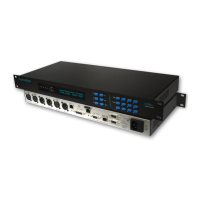
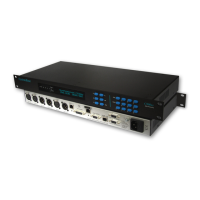
The SystemBase C530ip Audio Codec is a 1U 19" rackmount unit designed for high-quality audio transmission over various digital networks, including IP, dedicated digital lines, optical fiber, digital microwave links, and satellite links. It utilizes apt-X100 4:1 fixed audio compression to ensure efficient use of available network data bandwidth, providing full-duplex, point-to-point audio transmission. The device is powered by a 32-bit Floating Point DSP (Analog Device SHARC Processor).

Function Description:

The C530ip functions as an IP codec, enabling the encoding and decoding of audio for transmission over IP networks. It supports various IP codecs including APTX100, G722, and Linear, with audio over IP connectivity ranging from 83Kbps to 2600Kbps. For traditional digital lines, it offers X.21 connectivity from 64Kbps to 384Kbps. A key feature is its automatic IP backup of X.21 connections, ensuring continuous operation in case of primary link failure. The device provides both analogue and digital AES3 audio interfaces via XLR connectors, allowing for flexible integration into different audio setups. It supports Unicast, Simulcast, and Multicast (IGMPV2) transmission modes.

Important Technical Specifications:

  • Audio Compression: APTX100, G722, Linear.
  • IP Connectivity: 83Kbps to 2600Kbps.
  • X.21 Connectivity: 64Kbps to 384Kbps.
  • Audio Encoding/Decoding: 3.7kHz to 22.7kHz Stereo Audio (64 - 384Kbps).
  • DSP: 32 Bit Floating Point DSP – Analog Device SHARC Processor.
  • Form Factor: 1U 19" Rackmount Unit (44.45mm high).
  • Dimensions: 482 x 210 x 45mm (WDH).
  • Weight: 2.5Kg.
  • Power Requirements: 85-265 VAC 60/50Hz Auto, 20W consumption, 1A Anti-Surge fuse, IEC Mains Plug.
  • Environmental Conditions:
    • Operating Temperature: 0 to 38 deg C.
    • Storage Temperature: -10 to 50 deg C.
    • Operating Humidity: 20% to 80% RH.
    • Storage Humidity: 5% to 90% RH.
    • Operating Altitude: 3000 meters.
  • Analogue Audio Interface:
    • I/P Impedance: >10K Ohms.
    • I/P Level: +12dBu / +18dBu Max.
    • I/P Connectors: Balanced XLR Female.
    • O/P Impedance: <100 Ohms.
    • O/P Level: +12dBu / +18dBu Max.
    • O/P Connectors: Balanced XLR Male.
    • S/N Ratio: >102dBm.
    • Format: Mono / Stereo.
    • Bandwidth: 3Hz to 22.5KHz.
    • Sampling Rate: 48KHz.
  • Digital Audio Interface:
    • I/P/O/P Connectors: Balanced XLR Female/Male.
    • Compression Ratio: Linear.
    • Coding Algorithms: L24, L16.
    • Sampling Rate: 48KHz.
  • IP Port (ISDN 3-4):
    • Interface: 100B-TX full/half-duplex, 10B-TX full/half-duplex, Unicast/Simulcast.
    • Audio Algorithm: LINEAR PCM, APTX, G.722.
    • Audio FS: 8KHz to 48KHz.
    • Connector: RJ45.
  • X.21 Port:
    • Type: Fixed DTE.
    • Speed: 64Kbps to 384Kbps.
    • Signals: C, I, TXD, RXD, CLK.
    • Connector: 15-way Dsub Female.
  • LAN Port: 1 x RJ45 Connector supporting 100BASE-TX full/half-duplex, 10BASE-TX full/half-duplex.
  • Manager Input/Output Ports: V.24/RS232 - Fixed DCE/DTE, 9600bps (8,n,1), 9-way Dsub Female.
  • Auxiliary Data Port: V.24/RS232 - Fixed DCE, 9600bps (8,n,1), 9-way Dsub Female.

Usage Features:

  • User Interface: A 24-character by 2-line Vacuum Fluorescent Display (VFD) provides comprehensive information on configuration and status. 20-bit True RMS Digital VU Meters with Peak Hold monitor Left and Right audio channels, ranging from -60dB to 0dB with red LEDs for clipping indication.
  • Navigation: Menu navigation is controlled by dedicated buttons: Scroll Up/Previous, Scroll Down/Next, Select/Edit, Backspace, NO/Cancel, and YES/Confirm. Numerical 0-9 buttons allow for IP address and name entry.
  • IP Connection Management: A "DIAL" button provides access to six IP connection menus, allowing users to connect to specific IP channels. A "HANG" button is used to disconnect IP calls.
  • Remote Management: The device features an Internet Web-Server for remote management and diagnostics, accessible via a web browser. It also supports remote configuration via the Ethernet Manager Input Port using a standard Windows Terminal Program, allowing for "Daisy Chain" configuration of multiple units.
  • Automatic Features: Automatic IP Backup of X.21 ensures redundancy. Auto-Connect functionality allows the C500ip to automatically re-establish IP connections after disruptions or power resets. Auto Buffering optimizes IP buffer length based on line characteristics.
  • Security: IP Group ID prevents unauthorized IP connection requests. Password protection offers two levels (Edit Lock and Full Lock) to prevent accidental reconfiguration.
  • Audio Control: Selectable analogue audio headroom. Audio source can be set to Analog or AES3. Audio format (Mono/Stereo), sample rate (48K, 32K, 16K, 8K), and mode (Duplex, Transmit, Receive, No Audio) are configurable per IP link.
  • Network Configuration: Configurable IP Local Name, IP Local Address, IP Local Mask, IP Local Gateway, and IP Port. Supports DHCP for temporary IP address assignment. Ethernet Mode can be forced to specific configurations (e.g., 100Base-TX full-duplex). IP Packet Size can be adjusted to lower AoIP link delay.
  • Error Control: IP - Forward Error Control (FEC) can be configured (1:4 or 1:8 ratio of lost packets recovered).
  • Backup Options: Configurable Backup Threshold (0-100% X.21 Sync Errors) for automatic ISDN Backup initiation and Restore Time (0-60 seconds) for error-free data throughput to initiate X.21 Restore.
  • Alarm System: Provides a set of alarm relay contacts with a minimum 0.5-second duration, configurable for Sync Loss or Backup events.
  • Auxiliary Data Port: Supports various asynchronous data transmission modes (9600bps, 4800bps, 2400bps, and "alt" versions compatible with APT codecs) and Relay Mode for bi-directional contact closures.
  • SNMP Management: Supports SNMP Management (Simple Network Network Management Protocol) for network monitoring.
  • EasyMON Network Monitor Tool: A free tool for monitoring multiple codecs in a single browser window.

Maintenance Features:

  • Diagnostics: The Web-Server provides diagnostic information. The "status" command via the Manager Port displays current codec status including APTX Status, Loopback, Aux Data, X.21 Audio, and Audio Source.
  • Email Alerts: Configurable Email Alert messages can be sent following changes in Sync/IP state, including Event Logs for Sync Loss. Email timing and recipient details are configurable.
  • Set Defaults: Allows the codec to be re-configured back to factory defaults.
  • Firmware Updates: EasyMON requires firmware REL203 or later, indicating support for firmware updates.
  • CE Compliance: The product complies with the Electromagnetic Compatibility Directive 2004/108/EC, with a Declaration of Conformity available on request.
  • Recyclability: Designed and manufactured with high-quality materials and components that can be recycled, adhering to the European Directive 2002/96/EC regarding disposal of old electrical and electronic products.
  • Warranty: Systembase Limited provides a 12-month warranty against defects in materials or workmanship from delivery, with repair or replacement at their option. The warranty does not cover modified, tampered, misused, or abnormally working products.

SystemBase C530ip-s Specifications

General IconGeneral
BrandSystemBase
ModelC530ip-s
CategoryConference System
LanguageEnglish

Related product manuals