SIP
SIP stands for Session Initiation Protocol and is
used by devices that wish to establish Multimedia
Sessions. Equipment manufacturers that support
SIP will have the ability to connect with each other in
audio modes that are supported in common.
SIP can be used in several ways:
Local Connections
The most basic application of SIP would be two
codecs residing on the same intranet. Once both
codecs have been installed, one codec can call the
other directly using an address in form
“sip:user@192.168.1.30”.
SIP Server
In this scenario each codec would have a allocated
SIP account on the SIP server. Each account would
have a user name, password and Server address.
Once the codecs have been configured and
registered on the SIP server it is possible to place a
call from one to the other using the other codecs
“user” name. For example if the two codec names
were “codecA” and “codecB” then codec A would
simply use the following address to make a call to
codec B:-
sip:codecB
The important point to make here is that both
codecs are no longer location or Ip address
dependent, as it is the combination of the SIP
registration process and the “user” name that makes
the connection.
Audio would still stream directly from CodecA to
CodecB as the SIP server only handles the call
signalling.
SIP Trunk Provider
The third way SIP can be used is by obtaining an
account with a SIP based telephony provider. Again
you will be provided with a user name, password
and server address. Once registered you will be
able to make and receive standard voice calls to
regular analogue or digital phones. In addition, you
can make SIP calls to “Hdvoice” enabled telephones
which operate in G722.
This Function emulates a TBU.
To make a phone call in this configuration you would
use the following address string:-
sip:01747861123
SIP Registration
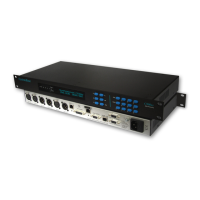
SIP registration is supported on the C510ip-s audio
codec. However, it can only be accessed via the
WEB GUI. To make a successful registrar you will
have to obtain a username, password and domain/ip
address from the administrator of the SIP server.
Once enabled the registration progress is displayed
and will display “success” once completed. SIP
registration has to be refreshed periodically and the
timeout variable can be edited to change the
number of seconds between each refresh.
It is important to note that the “User Name” defined
here will be the name used by calling parties
wishing to establish a connection with your unit. This
user name will be your first line of protection against
rouge callers. Your SIP ID would be:-
“sip:User Name@Server Address”
Page 15


 To Next Page