INSTALLATION
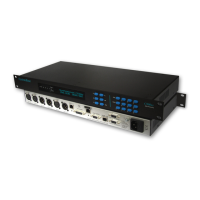
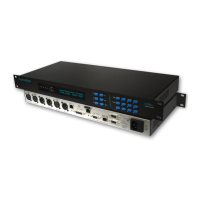
All Systembase C500ip series codecs are designed
to fit a standard 19” rack. Each unit measures
44.45mm high (1U). Notes for installing:-
1/ Do not obstruct any air vents that the product may
have.
2/ Do not mount the unit directly above or below
other equipment within the rack. It is recommended
to leave a space of 1U between units.
3/ Where possible connect the M4 earth bonding
point to the rack enclosure frame.
CONTROLS AND INDICATORS
VFD Display
A 24 character by 2 line VFD (Vacuum Fluorescent
Display), provides comprehensive information on
the configuration of the unit and current status.
VU Meters
20 bit True RMS Digital VU Meters for monitoring
Left and Right audio channels with Peak Hold. The
VU Meter range is -60dB to 0dB with red LEDS to
indicate clip.
Menu Buttons
Menu Scroll Up / Previous button.
Menu Scroll Down / Next button.
Menu Select / Edit button is used to select
the configuration which is to be modified.
Menu Backspace button.
NO NO / Cancel button is used to abort the
configuration change. The NO button is also
used to exit a menu level and return to the
level above. Pressing the NO button several
times will always take the user back to the
title display.
YES YES Confirm button is used to confirm
actions or configuration changes.
DIAL Button
A depression of the DIAL button will take you to the
first of six IP connection menus.
MENU : Connect IP1 y/n?
IP>198.0.0.17
To make this connection press the YES key.
Alternatively, if either the or down arrow is
pressed you will be taken to the adjacent IP
channel.
HANG Button
A depression of the HANG button is used to
disconnect IP calls.
MENU :Disconnect IP1 y/n?
NAME>198.0.0.17
To proceed with the disconnection press the YES
key. Alternatively, if either the or down arrow
is pressed you will be taken to the adjacent IP
channel.
Numerical 0 - 9 Buttons
The 0 - 9 Numerical Keypad allows entry of IP
addresses and names.
Page 4


 To Next Page