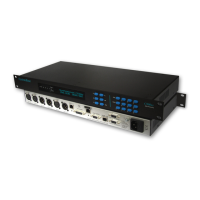
Defaults.
MENU: Set Defaults
Confirm Yes/No ?
Press the YES button to confirm, and the NO button
to abort.
NOTE: All changes made to the patch configurations will be
lost and there is no Undo option.
Screen Saver
MENU: Screensaver
On
The VFD screensaver can be disabled if required.
Email Alert Messages
The codec can be configured via the Ethernet
Webserver to send an Email Alert messages
following a change in Sync/IP state.
In the SMTP menu enter the address of your
outgoing SMTP mail server, example.mail.com.
Alternatively you may enter the IP address if known.
If you leave this field blank then the email alerts
function will be disabled.
If the mail server requires a user name and
password then fill in the User name and Password
fields otherwise leave them blank.
Now enter the recipient email address and subject
line to complete the configuration. If you leave these
fields empty no alerts or logs will be sent.
Email Timing
Once the Email Alert has been configured correctly,
the codec will send an email Event Log 10 seconds
after a Sync Loss has occurred. The Event Log will
then be cleared and disabled for 15 minutes before
being re-enabled again.
If the codec is unable to send the email successfully,
then the Event Log will be cleared and returned to
the enabled state.
Page 14


 To Next Page