MENU SYSTEM
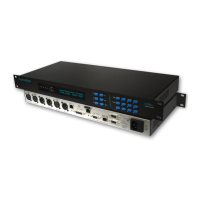
The menu system on the C510ip-s Audio Codec has
been designed to allow the user to configure the unit
with ease. Six keys are used to drive the menu
system :-
UP
DOWN
RIGHT / EDIT
BACKSPACE
YES CONFIRM EDIT
NO CANCEL EDIT / LEFT
Unit Description / Title
The software release and serial number of the unit
are displayed on the Title screen.
SYSTEMBASE C510ip-s
REL 309 S/N 0121-200
ISDN Status
The status of the ISDN B Channels.
INFO: ISDN Status >
Ready Ready
The ISDN status options are:
Load (Loading Patch)
Dorm (Dormant)
Ready (Layer 1 Activated)
Alert (Alerting)
Incom (Incoming Call Connected)
Con (Outgoing Call Connected)
Synch (Bad Line Termination)
Nail (Nailed Up Mode)
Note: If the C510ip-s is configured in X.21 Mode, the ISDN
port can still function, however the audio will not be routed
through to the ISDN connector.
ISDN Caller Identification
The ISDN number of the last incoming caller for the
ISDN B Channels.
INFO: CH1 CALLER ID
01256880123
Clearing Cause
The Clearing Cause for each of the available ISDN
B Channels is displayed.
INFO: CH1 CLEARING CAUSE
IP Link Status
MENU: IP Link Status >
IP1: Stream IP2: Idle
The button is used to display the status
information of the IP Links :-
INFO:IP I STREAM>DUPLEX
NAME:0109-007
The or down buttons may be used to cycle
through the available IP links.
Audio Status
The status of the received audio, the audio format
and the data rate of the codec.
INFO: Audio Status SYNC>
APTX:7K5 Mono 64Kbps
The codec has been designed to Mute the audio
signal if end-to-end synchronisation is not achieved.
The data rate displayed is the actual data rate which
the codec has achieved end-to-end synchronisation
and not necessarily the configured mode.
The button may be used to display information
about the AES input data stream.
INFO: Aes Status
RX=Con FMT=Pro VLD=PCM
RX is the status of the AES audio receive signal.
Con = Connected, Dis = Disconnected
FMT is the AES format.
Pro = Professional, Con = Consumer
VLD is the AES Valid Bit
PCM = PCM, Dat = Data
Page 9


 To Next Page