6
7.0 Setting up a Virgin Media remote control
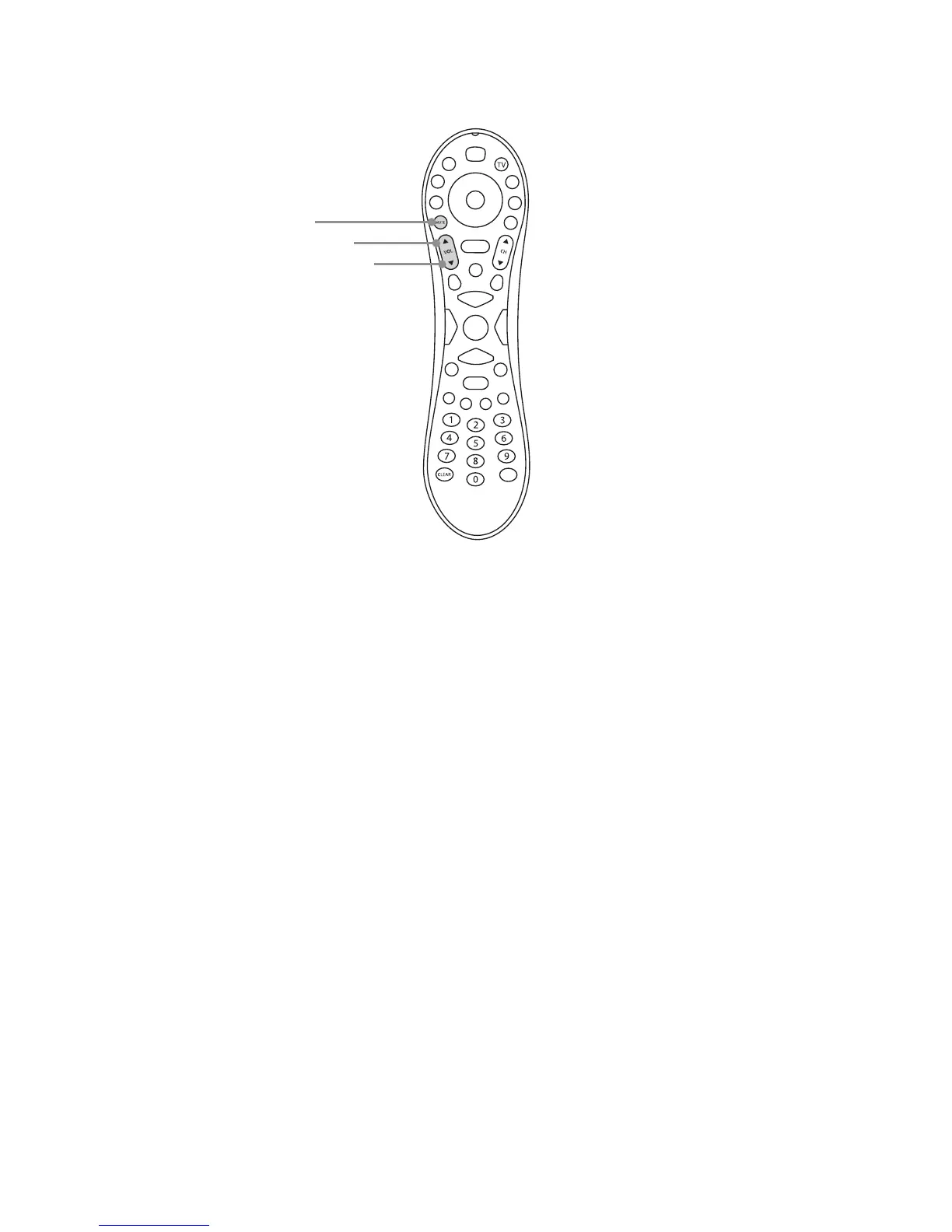
Some Virgin Media remote control can be set up to control an amplier or TV. We have tested
remote control type 13 listed on the website and pictured below:
7.1 Turn the S7 zone onto a local source with a LIM and IR receiver and turn the volume up.
7.2 On the Virgin Media remote control press and hold Clear and then Vol+ until the LED ashes
green twice.
7.3 Enter the code 1999, the LED will ash twice.
7.4 Point the remote at the IR receiver and press the Ch+ button until the volume mutes,
it should take 6 presses.
7.5 Press Mute to turn the volume back on.
7.6 Press OK to store this.
7.7 Vol+, Vol- and Mute should now operate the NetAmp.
Please note: it is not possible to set up this remote to control the TV and the NetAmp.
Volume up
Mute
Volume down


 To Next Page