EasyManua.ls Logo

Tactacam 3.0 - User Manual

Tactacam 3.0
17 pages
Print Icon
To Next Page IconTo Next Page
Loading...
(844) 482-2822
WWW.TACTACAM.COM
WWW.TACTACAM.COM
Question and Answer IconNeed help?

Do you have a question about the Tactacam 3.0 and is the answer not in the manual?

Summary

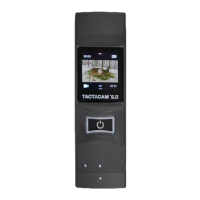
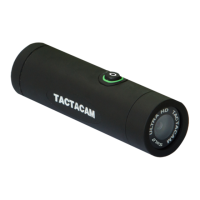
Get to Know Your Tactacam Models

Preparing Your Tactacam for Use

Charging and SD Card Considerations

Instructions on fully charging the camera and selecting a compatible SD card for 2.7k recording.

Charging Your Tactacam

Charging Methods and Indicators

Explains charging via USB cord to a wall socket or computer, noting the red status light.

SD Card and Downloading Content

SD Card Usage and Recommendations

Details the included 8GB card, recommends upgrading, and lists compatible brands and classes.

Reformatting Your SD Card

Reformatting Procedure and Precautions

Steps for reformatting, using approved cards, exFAT file system, and handling care.

Powering On and Recording

Starting and Pausing Recording

Instructions for powering on, starting, pausing, and powering off the camera with vibration feedback.

Tactacam Video Modes and Blackout Mode

Download and Use the Tactacam App

Connecting Camera to the App

Steps to enable WiFi on the camera and connect it to the Tactacam mobile app.

Helpful Tips and Maintenance

Camera Battery and Charging

Information on battery indicator lights, maximizing battery life, and charging times.

Troubleshooting Common Issues

Camera Not Responding or Powering On

Solutions for unresponsive cameras, power issues, and Wi-Fi username/password forgetting.

Summary

Get to Know Your Tactacam Models

Preparing Your Tactacam for Use

Charging and SD Card Considerations

Instructions on fully charging the camera and selecting a compatible SD card for 2.7k recording.

Charging Your Tactacam

Charging Methods and Indicators

Explains charging via USB cord to a wall socket or computer, noting the red status light.

SD Card and Downloading Content

SD Card Usage and Recommendations

Details the included 8GB card, recommends upgrading, and lists compatible brands and classes.

Reformatting Your SD Card

Reformatting Procedure and Precautions

Steps for reformatting, using approved cards, exFAT file system, and handling care.

Powering On and Recording

Starting and Pausing Recording

Instructions for powering on, starting, pausing, and powering off the camera with vibration feedback.

Tactacam Video Modes and Blackout Mode

Download and Use the Tactacam App

Connecting Camera to the App

Steps to enable WiFi on the camera and connect it to the Tactacam mobile app.

Helpful Tips and Maintenance

Camera Battery and Charging

Information on battery indicator lights, maximizing battery life, and charging times.

Troubleshooting Common Issues

Camera Not Responding or Powering On

Solutions for unresponsive cameras, power issues, and Wi-Fi username/password forgetting.

Tactacam 3.0 Specifications

General IconGeneral
Video Resolution1080p
Frame Rate30fps
LensUltra Sharp Lens
Battery Life2.5 hours
StorageMicroSD
WaterproofYes (with case)

Related product manuals