EasyManua.ls Logo

Tactacam Bone Collector Solo - User Manual

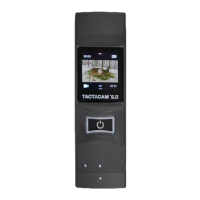
Tactacam Bone Collector Solo
20 pages
Print Icon
To Next Page IconTo Next Page
Loading...
INSTRUCTION
MANUAL
Question and Answer IconNeed help?

Do you have a question about the Tactacam Bone Collector Solo and is the answer not in the manual?

Summary

Getting to Know Your Tactacam

Features and Benefits Overview

Details the primary features and advantages of the Tactacam Bone Collector™ SOLO.

Initial Setup and Operations

Charging Your Tactacam

Instructions on how to charge the camera, including identifying the charging port.

Charging Details

USB Charging Methods

Explains charging via USB cord to a wall charger or computer.

Powering On, Recording, and Wi-Fi

Starting, Pausing, and Powering Off

How to operate the camera's power, recording, and pausing functions.

SD Card Management and Formatting

SD Card Requirements and Best Practices

Details the need for Class 10, 32 or 64 GB micro SD cards and recommended brands.

Downloading and Connecting the Tactacam App

FAQ: Error Messages, Playback, and Battery

FAQ: Tips, Troubleshooting, and Connectivity

Troubleshooting Camera Response and Power

Steps to resolve issues with camera freezing, not responding, or failing to power on.

FAQ: SD Cards, Videos, and Serial Number

SD Card Requirements and Best Usage

Information on required SD card types and recommendations for quality.

Support and Contact Information

Customer Support and Warranty Policy

Provides contact details for warranty issues and the policy not to return to retailer.

Summary

Getting to Know Your Tactacam

Features and Benefits Overview

Details the primary features and advantages of the Tactacam Bone Collector™ SOLO.

Initial Setup and Operations

Charging Your Tactacam

Instructions on how to charge the camera, including identifying the charging port.

Charging Details

USB Charging Methods

Explains charging via USB cord to a wall charger or computer.

Powering On, Recording, and Wi-Fi

Starting, Pausing, and Powering Off

How to operate the camera's power, recording, and pausing functions.

SD Card Management and Formatting

SD Card Requirements and Best Practices

Details the need for Class 10, 32 or 64 GB micro SD cards and recommended brands.

Downloading and Connecting the Tactacam App

FAQ: Error Messages, Playback, and Battery

FAQ: Tips, Troubleshooting, and Connectivity

Troubleshooting Camera Response and Power

Steps to resolve issues with camera freezing, not responding, or failing to power on.

FAQ: SD Cards, Videos, and Serial Number

SD Card Requirements and Best Usage

Information on required SD card types and recommendations for quality.

Support and Contact Information

Customer Support and Warranty Policy

Provides contact details for warranty issues and the policy not to return to retailer.

Tactacam Bone Collector Solo Specifications

General IconGeneral
BrandTactacam
ModelBone Collector Solo
CategoryAction Cameras
LanguageEnglish

Related product manuals