25
4.6.Frequency Scan
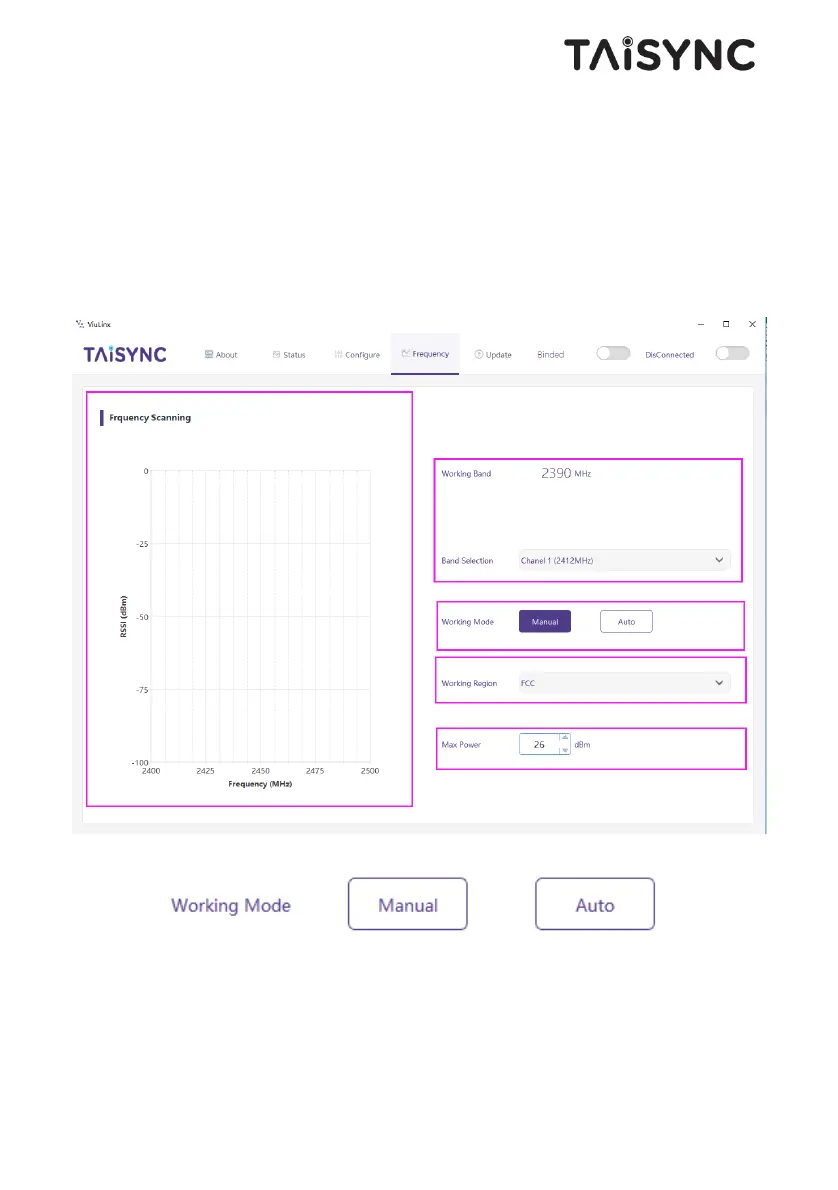
The left side is the frequency scan curve after the module starts. This interface display the
current working frequency, adjust the working frequency, adjust the frequency working mode,
the working region (FCC, CE) and the maximum TX power.
Working Mode:Manual, Auto.
Manual mode: The module administrator or user manually configures the working frequency.
Auto mode: The system configures the working frequency according to the frequency scan
curve.


 To Next Page