4
Connect this port to the USB port of a PC or Laptop, and use the Taisync PC program to
upgrade firmware on the air unit.
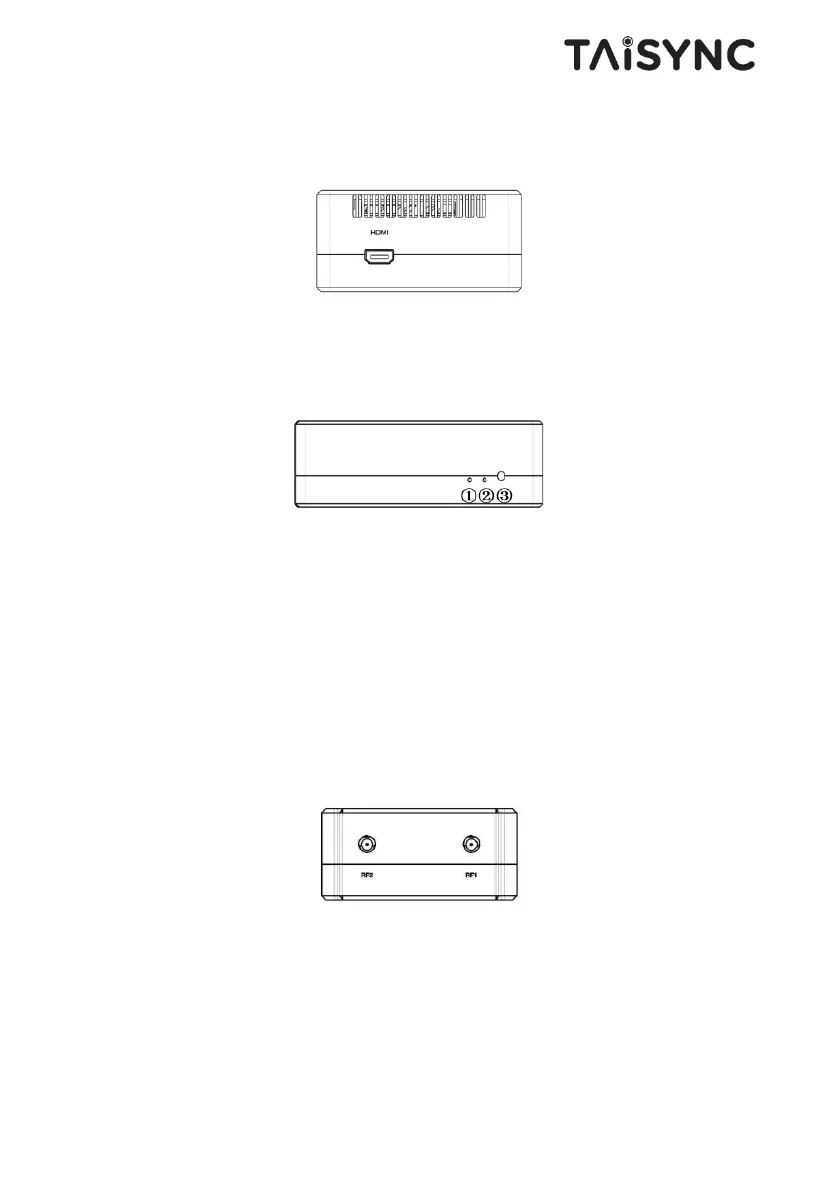
① HDMI Port
Connect the HDMI output of a camera to the HDMI input of the air unit.
① LED 1
When this LED is on, it means the air-to-ground link is connected; when this LED is off, it
means the air-to-ground link is disconnected. (Not available for air unit)
② LED 2
When this LED is on, it means the ground -to-air link is connected; when this LED is off,
it means the ground -to-air link is disconnected. (Not available for air unit)
③ Bind Button
Press this button to perform the binding operation.
① RF2 Port
Connect the 2nd air unit antenna to this port.
② RF1 Port
Connect the 1st air unit antenna to this port.


 To Next Page