24 Talon
Talon - NET DVR
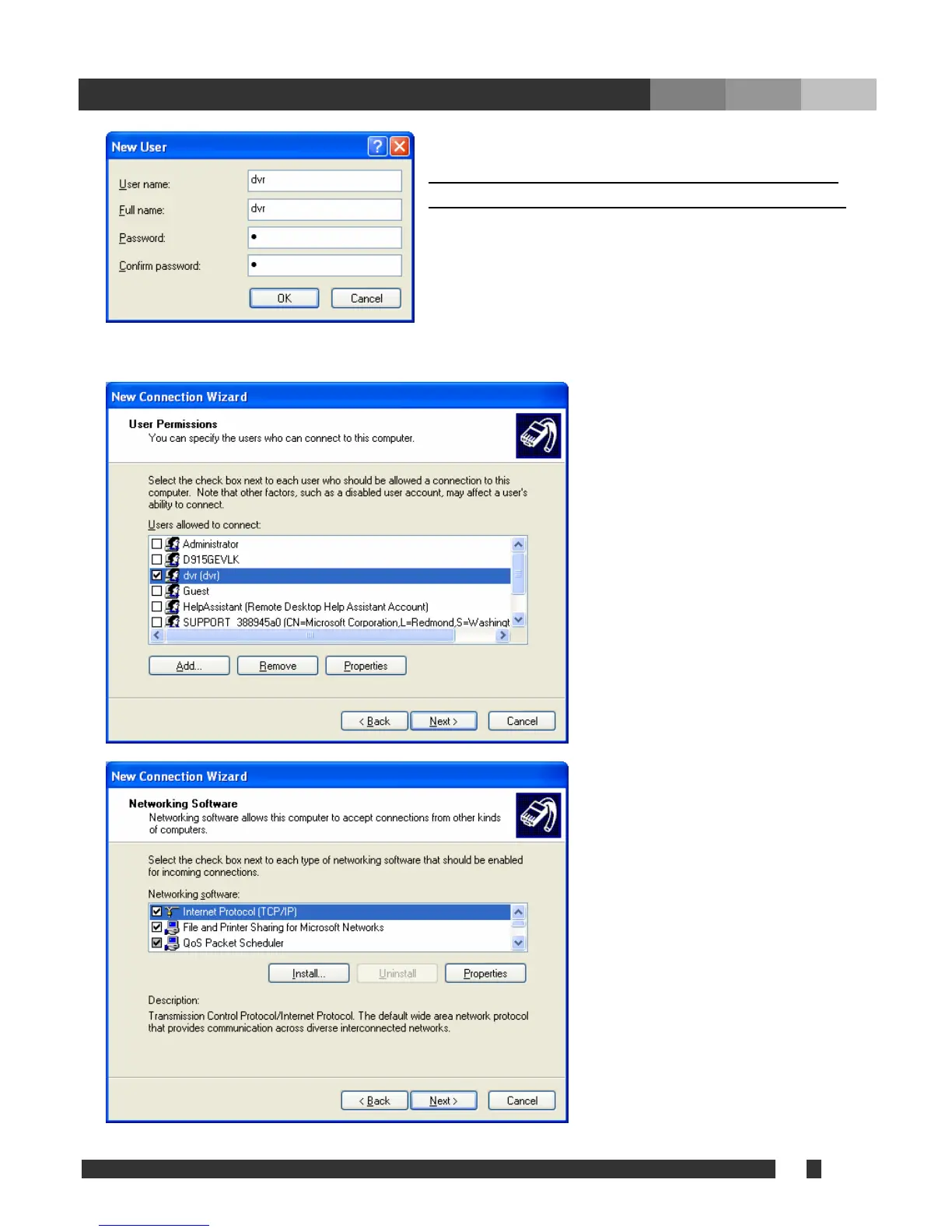
Fill out th
This user information must be used at the Dial-Up
e user information and click “OK”.
Client, w ich will be discussed on the next chapter.h
Note: The “Allowed User” means “RAS User” who can access the Dial-Up server from Dial-Up Client.
After a user created, make sure to
check the user created, and click
“Next”.
Select “Internet Protocol TCP/IP” and
click ‘Properties’.


 To Next Page